
Generate Diagram Excalidraw dengan AI — Dari Prompt jadi Visual

📎 Source:openclaw-sumopod — view on GitHub & star ⭐
OpenClaw + Excalidraw Tutorial
Generate beautiful hand-drawn style diagrams programmatically for documentation, reports, and presentations.
Overview
This tutorial shows how to integrate Excalidraw diagram generation into your OpenClaw workflow. Create diagrams that look hand-sketched but are generated programmatically.
What You'll Learn
- Generate Excalidraw diagrams from templates
- Export to PNG for GitHub, docs, slides
- Embed diagrams in various platforms
Quick Start
Prerequisites
pip install Pillow
Generate Your First Diagram
# From your workspace
python3 skills/excalidraw/scripts/generate.py \
  --template system-architecture \
  --output my-diagram
Export to PNG
python3 skills/excalidraw/scripts/export.py \
  my-diagram.excalidraw \
  my-diagram.png
Example Output
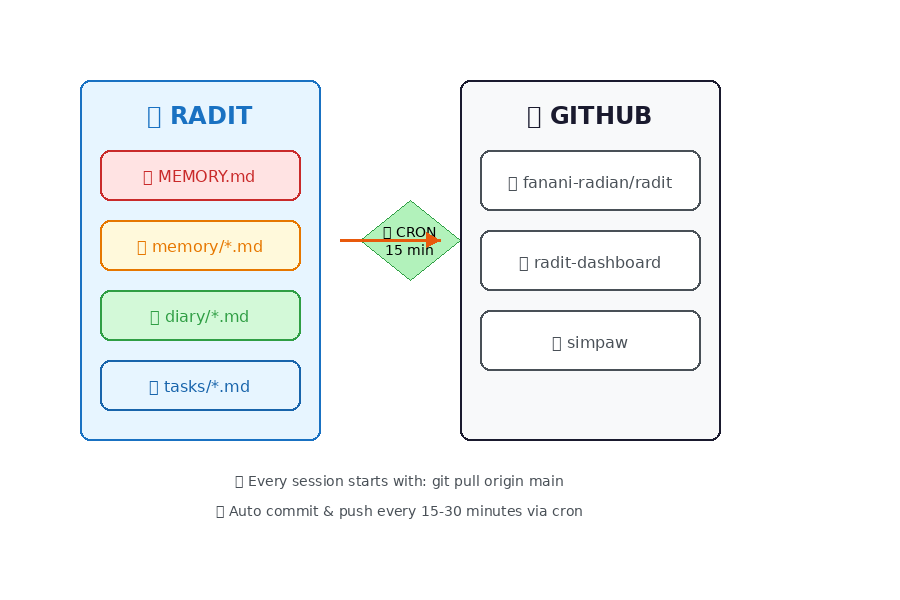
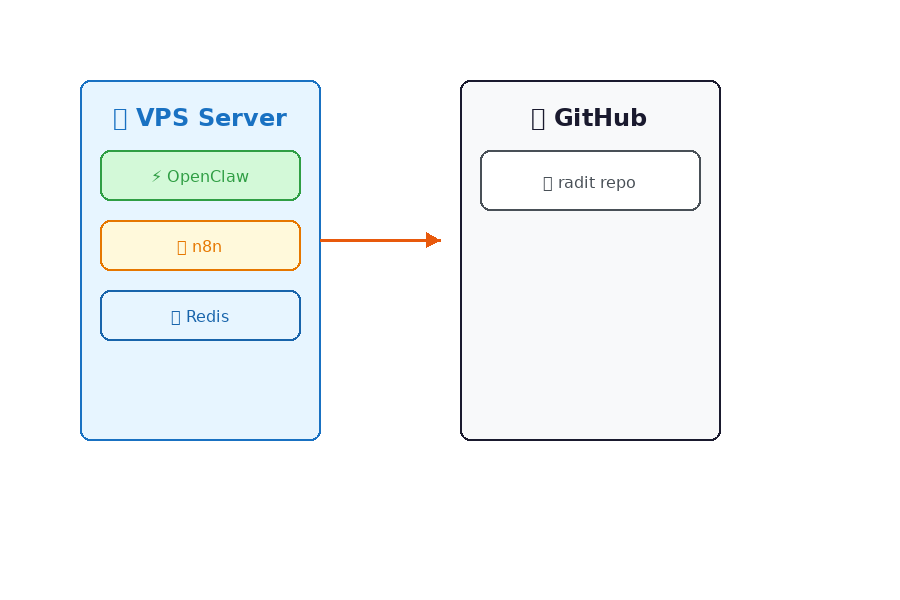
Here's what generated diagrams look like:
Memory Sync Flow
System Architecture
Quick Note
Characteristics:
- ✅ Clean white background
- ✅ Hand-drawn style (rough edges)
- ✅ Solid colors (no patterns)
- ✅ Readable text
- ✅ Professional look
Available Templates
Use Cases
1. GitHub Documentation
Generate architecture diagrams for README files:
python3 skills/excalidraw/scripts/generate.py \
  --template system-architecture \
  --output radit-arch

python3 skills/excalidraw/scripts/export.py \
  radit-arch.excalidraw \
  radit-arch.png
Embed in README.md:

*[Edit in Excalidraw](https://excalidraw.com)*
2. Google Docs/Slides
# Generate and export
python3 skills/excalidraw/scripts/generate.py \
  --template data-flow \
  --output q1-report

python3 skills/excalidraw/scripts/export.py \
  q1-report.excalidraw \
  q1-report.png
- Open Google Docs/Slides
- Insert → Image → Upload
- Select
q1-report.png
3. Notion Pages
python3 skills/excalidraw/scripts/generate.py \
  --template timeline \
  --output project-roadmap

python3 skills/excalidraw/scripts/export.py \
  project-roadmap.excalidraw \
  project-roadmap.png
Upload directly to Notion or use Notion API.
4. Presentation Slides
Export multiple diagrams for slide deck:
for template in system-architecture data-flow timeline; do
  python3 skills/excalidraw/scripts/export.py \
    examples/${template}.excalidraw \
    slides/${template}.png
done
5. API Documentation
python3 skills/excalidraw/scripts/generate.py \
  --template api-flow \
  --output api-diagram
6. Business Analysis
python3 skills/excalidraw/scripts/generate.py \
  --template swot \
  --output company-swot
7. Process Documentation
python3 skills/excalidraw/scripts/generate.py \
  --template decision-tree \
  --output deploy-process
Script Reference
generate.py
Generate diagrams from templates.
python3 scripts/generate.py [OPTIONS]

Options:
  --template, -t    Template name (required)
  --output, -o      Output filename (required)

Examples:
  python3 scripts/generate.py -t memory-sync -o git-flow
  python3 scripts/generate.py -t quick-note -o my-notes
export.py
Export Excalidraw to PNG.
python3 scripts/export.py [INPUT] [OUTPUT] [WIDTH] [HEIGHT]

Arguments:
  INPUT     Input .excalidraw file
  OUTPUT    Output .png file (optional)
  WIDTH     Image width (default: 900)
  HEIGHT    Image height (default: 600)

Examples:
  python3 scripts/export.py diagram.excalidraw
  python3 scripts/export.py diagram.excalidraw output.png 1920 1080
Color Palette
File Format
.excalidraw (Source)
- JSON format
- Editable in excalidraw.com
- Contains all element data
.png (Export)
- Static image
- White background
- Clean, readable text
- Perfect for embedding
Examples
See examples/ folder for:
memory-sync-flow.excalidraw/.pngsystem-architecture.excalidraw/.pngquick-note.excalidraw/.png
Creating Custom Templates
Edit scripts/generate.py and add to TEMPLATES dictionary:
'my-template': {
    'width': 900,
    'height': 600,
    'elements': [
        {
            'type': 'rectangle',
            'x': 100, 'y': 100,
            'width': 200, 'height': 100,
            'strokeColor': '#1971c2',
            'backgroundColor': '#e7f5ff',
            'strokeWidth': 2
        },
        {
            'type': 'text',
            'x': 120, 'y': 130,
            'width': 160, 'height': 40,
            'text': 'My Label',
            'fontSize': 18,
            'strokeColor': '#1971c2'
        }
    ]
}
Tips
- Always save .excalidraw source — PNG is display-only
- Use descriptive filenames —
radit-arch-v2.excalidraw - Version control — Commit both .excalidraw and .png
- Consistent colors — Follow palette for professional look
- Export resolution — 900x600 for docs, 1920x1080 for slides
Troubleshooting
Text not rendering?
- Install fonts:
apt-get install fonts-dejavu
Colors look different?
- Use hex codes from palette
- GitHub displays sRGB colors
PNG blurry?
- Increase resolution:
export.py input.excalidraw output.png 1920 1080
Resources
- Excalidraw — Online editor
- Excalidraw Libraries — Community shapes
- Rough.js — Hand-drawn graphics engine
Next Steps
- Try generating your first diagram
- Export to PNG
- Embed in your project documentation
- Create custom templates for your needs
Tutorial Version: 1.0
Last Updated: 2026-03-08
Compatible With: OpenClaw 2026.2+
← Artikel Sebelumnya
Integrasi N8N dengan OpenClaw — Workflow Automation Powerhouse
Artikel Selanjutnya →
Deployment Butler: Assistant Deployment yang Jaga Server 24/7
Baca Juga

Ada Pertanyaan? Yuk Ngobrol!
Butuh bantuan setup OpenClaw, konsultasi IT, atau mau diskusi project engineering? Book a call langsung — gratis.
Book a Call — Gratisvia Cal.com • WITA (UTC+8)
Newsletter
Subscribe to Newsletter
Artikel baru, automation notes, dan engineering insight. Clean inbox, no spam.
Dengan subscribe, kamu setuju menerima update seperlunya.