
Gmail Auto-Label & Triage: Email Teratur Tanpa Manual Sorting
📎 Source:openclaw-sumopod — view on GitHub & star ⭐
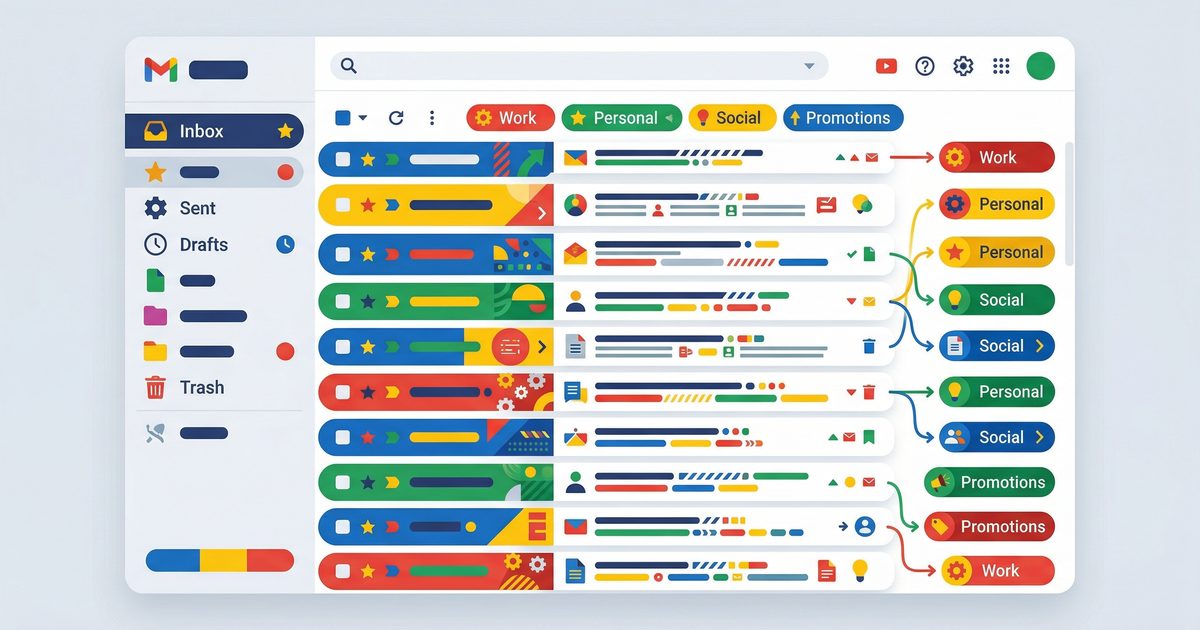
📧 Gmail Auto-Label & Smart Triage Tutorial
Transform your inbox chaos into organized, prioritized workflows — automatically!
🎯 Before vs After
📂 Visual Label System
┌─────────────────────────────────────────────────────────┐
│  🏷️  YOUR SMART LABEL HIERARCHY                         │
├─────────────────────────────────────────────────────────┤
│                                                         │
│  📄 Documents        → Contracts, PDFs, proposals       │
│  🏢 Clients          → Client communications            │
│  📊 Reports          → Analytics, dashboards, data      │
│  📋 Tasks            → Action items, to-do requests     │
│  🔥 Urgent           → High priority, needs attention   │
│  📰 Newsletters      → Subscriptions, updates           │
│  🗑️ Low Priority     → FYI only, read when free         │
│                                                         │
└─────────────────────────────────────────────────────────┘
Label Color Coding
🛠️ Step-by-Step Setup
Step 1: Create Gmail Labels
Go to Gmail → Left sidebar → Click "+" next to Labels
Create these labels:
├── 📄 Documents
├── 🏢 Clients
├── 📊 Reports
├── 📋 Tasks
├── 🔥 Urgent
├── 📰 Newsletters
└── 🗑️ Low Priority
Step 2: Enable Gmail API Access
# Install gog CLI (if not already installed)
curl -sSL https://openclaw.dev/install/gog | bash

# Authenticate with your Google account
gog auth login

# Verify access
gog gmail list --max=5
Step 3: Create Project Directory
mkdir -p ~/automation/gmail-triage
cd ~/automation/gmail-triage
📋 Classification Rules
Rule Engine Logic
┌────────────────────────────────────────────────────────────┐
│                    EMAIL CLASSIFICATION FLOW               │
├────────────────────────────────────────────────────────────┤
│                                                            │
│  📧 New Email Arrives                                      │
│         ↓                                                  │
│  ┌─────────────────┐                                       │
│  │ Check Keywords  │                                       │
│  └────────┬────────┘                                       │
│           ↓                                                │
│     ┌─────┴─────┬─────────────┬────────────┐              │
│     ↓         ↓             ↓            ↓                 │
│  🔥 Urgent  🏢 Clients   📄 Docs    📊 Reports            │
│  (contains: (from:        (subject:  (subject:            │
│   "URGENT"   @client.com)  "contract"  "report")          │
│   "ASAP")                  OR .pdf)                      │
│                                                            │
│     ┌─────┴─────┬─────────────┐                           │
│     ↓         ↓             ↓                              │
│  📋 Tasks   📰 Newsletters  🗑️ Low Priority               │
│  (subject:  (from:          (no match)                    │
│   "action"   newsletter)                                   │
│   "task")                                                  │
│                                                            │
└────────────────────────────────────────────────────────────┘
Keyword Dictionary
🔔 Notification Setup
Telegram Bot Configuration
# 1. Create Telegram Bot via @BotFather
# 2. Get your Chat ID via @userinfobot
# 3. Set environment variables

export TELEGRAM_BOT_TOKEN="YOUR_BOT_TOKEN_HERE"
export TELEGRAM_CHAT_ID="YOUR_CHAT_ID_HERE"
Notification Triggers
┌─────────────────────────────────────────────────────────────┐
│  WHEN TO SEND TELEGRAM ALERTS                               │
├─────────────────────────────────────────────────────────────┤
│                                                             │
│  ✅ ALWAYS notify on:                                       │
│     • 🔥 Urgent emails                                      │
│     • 🏢 Client emails (high value)                         │
│     • 📋 Task emails (requires action)                      │
│                                                             │
│  ⚠️  SUMMARIZE only (daily digest):                         │
│     • 📄 Documents received                                 │
│     • 📊 Reports generated                                  │
│                                                             │
│  ❌ NO notification:                                        │
│     • 📰 Newsletters (check when convenient)                │
│     • 🗑️ Low Priority (batch review weekly)                 │
│                                                             │
└─────────────────────────────────────────────────────────────┘
💻 Full Code Script
gmail-triage.py — Complete Auto-Label System
#!/usr/bin/env python3
"""
📧 Gmail Auto-Label & Smart Triage
Automated email classification with Telegram notifications
"""

import os
import re
import json
import base64
from datetime import datetime, timedelta
from typing import List, Dict, Optional
import requests

# ═══════════════════════════════════════════════════════════════
# CONFIGURATION
# ═══════════════════════════════════════════════════════════════

# Telegram Settings
TELEGRAM_BOT_TOKEN = os.getenv("TELEGRAM_BOT_TOKEN", "YOUR_BOT_TOKEN")
TELEGRAM_CHAT_ID = os.getenv("TELEGRAM_CHAT_ID", "YOUR_CHAT_ID")

# Label Definitions with Keywords
LABEL_RULES = {
    "🔥 Urgent": {
        "keywords": ["urgent", "asap", "emergency", "deadline today", "critical"],
        "senders": [],
        "notify": True,
        "priority": 1
    },
    "🏢 Clients": {
        "keywords": ["proposal", "contract", "invoice", "project", "quotation"],
        "senders": ["client", "customer"],  # Pattern matching
        "notify": True,
        "priority": 2
    },
    "📄 Documents": {
        "keywords": [".pdf", ".doc", "contract", "agreement", "document", "attachment"],
        "senders": [],
        "notify": False,
        "priority": 3
    },
    "📊 Reports": {
        "keywords": ["report", "analytics", "dashboard", "metrics", "stats", "performance"],
        "senders": ["analytics", "reports", "noreply"],
        "notify": False,
        "priority": 4
    },
    "📋 Tasks": {
        "keywords": ["action required", "task", "todo", "please review", "approve", "sign"],
        "senders": [],
        "notify": True,
        "priority": 2
    },
    "📰 Newsletters": {
        "keywords": ["newsletter", "weekly", "update", "digest", "roundup"],
        "senders": ["newsletter", "updates"],
        "notify": False,
        "priority": 5
    },
    "🗑️ Low Priority": {
        "keywords": ["fyi", "for your information", "no action needed"],
        "senders": ["no-reply", "noreply", "notifications"],
        "notify": False,
        "priority": 6
    }
}

# ═══════════════════════════════════════════════════════════════
# TELEGRAM NOTIFICATIONS
# ═══════════════════════════════════════════════════════════════

def send_telegram_message(message: str, priority: int = 3):
    """Send notification to Telegram with priority formatting"""

    # Priority emojis
    priority_emojis = {1: "🚨", 2: "⚡", 3: "📧", 4: "📎", 5: "📰", 6: "⚪"}
    emoji = priority_emojis.get(priority, "📧")

    # Format message with priority
    formatted = f"{emoji} *Gmail Triage Alert*\n\n{message}"

    url = f"https://api.telegram.org/bot{TELEGRAM_BOT_TOKEN}/sendMessage"
    payload = {
        "chat_id": TELEGRAM_CHAT_ID,
        "text": formatted,
        "parse_mode": "Markdown",
        "disable_notification": priority > 2  # Silent for low priority
    }

    try:
        response = requests.post(url, json=payload, timeout=10)
        return response.json().get("ok", False)
    except Exception as e:
        print(f"❌ Telegram error: {e}")
        return False


def send_daily_summary(stats: Dict):
    """Send daily digest of classified emails"""
    message = f"""
📊 *Daily Email Summary*

📧 Total Processed: `{stats['total']}`
🔥 Urgent: `{stats['urgent']}`
🏢 Clients: `{stats['clients']}`
📋 Tasks: `{stats['tasks']}`
📄 Documents: `{stats['documents']}`
📊 Reports: `{stats['reports']}`
📰 Newsletters: `{stats['newsletters']}`

✅ All emails have been auto-labeled!
"""
    send_telegram_message(message, priority=3)


# ═══════════════════════════════════════════════════════════════
# EMAIL CLASSIFICATION ENGINE
# ═══════════════════════════════════════════════════════════════

def classify_email(subject: str, sender: str, body: str = "") -> Optional[str]:
    """
    Classify email based on rules
    Returns label name or None
    """
    text = f"{subject} {body}".lower()
    sender_lower = sender.lower()

    best_match = None
    best_priority = 999

    for label, rules in LABEL_RULES.items():
        score = 0

        # Check keywords
        for keyword in rules["keywords"]:
            if keyword.lower() in text:
                score += 1

        # Check sender patterns
        for pattern in rules["senders"]:
            if pattern.lower() in sender_lower:
                score += 2  # Sender match is stronger

        # If matched and higher priority (lower number), update
        if score > 0 and rules["priority"] < best_priority:
            best_match = label
            best_priority = rules["priority"]

    return best_match


def get_label_id(label_name: str) -> Optional[str]:
    """Get Gmail label ID from name using gog CLI"""
    import subprocess

    try:
        result = subprocess.run(
            ["gog", "gmail", "labels", "list", "--format=json"],
            capture_output=True,
            text=True,
            timeout=30
        )

        if result.returncode != 0:
            print(f"❌ Error fetching labels: {result.stderr}")
            return None

        labels = json.loads(result.stdout)
        for label in labels:
            if label.get("name") == label_name:
                return label.get("id")

        return None
    except Exception as e:
        print(f"❌ Error: {e}")
        return None


def apply_label(message_id: str, label_id: str) -> bool:
    """Apply label to Gmail message"""
    import subprocess

    try:
        result = subprocess.run(
            ["gog", "gmail", "messages", "modify", message_id,
             "--add-label", label_id],
            capture_output=True,
            text=True,
            timeout=30
        )
        return result.returncode == 0
    except Exception as e:
        print(f"❌ Error applying label: {e}")
        return False


# ═══════════════════════════════════════════════════════════════
# MAIN TRIAGE WORKFLOW
# ═══════════════════════════════════════════════════════════════

def fetch_unprocessed_emails(max_results: int = 50) -> List[Dict]:
    """Fetch recent unread emails using gog CLI"""
    import subprocess

    try:
        result = subprocess.run(
            ["gog", "gmail", "list",
             "--query", "is:unread -in:📄* -in:🏢* -in:📊* -in:📋* -in:🔥* -in:📰* -in:🗑️*",
             "--max", str(max_results),
             "--format=json"],
            capture_output=True,
            text=True,
            timeout=60
        )

        if result.returncode != 0:
            print(f"❌ Error fetching emails: {result.stderr}")
            return []

        return json.loads(result.stdout) if result.stdout else []
    except Exception as e:
        print(f"❌ Error: {e}")
        return []


def get_email_content(message_id: str) -> Dict:
    """Get full email content"""
    import subprocess

    try:
        result = subprocess.run(
            ["gog", "gmail", "get", message_id, "--format=json"],
            capture_output=True,
            text=True,
            timeout=30
        )

        if result.returncode == 0 and result.stdout:
            return json.loads(result.stdout)
        return {}
    except Exception as e:
        print(f"❌ Error fetching email: {e}")
        return {}


def triage_emails(dry_run: bool = False):
    """Main triage function"""

    print("🔍 Starting Gmail Triage...")
    print("━" * 50)

    # Statistics
    stats = {key: 0 for key in LABEL_RULES.keys()}
    stats["total"] = 0
    stats["unclassified"] = 0

    # Fetch emails
    emails = fetch_unprocessed_emails(max_results=100)

    if not emails:
        print("✅ No new emails to process!")
        return

    print(f"📧 Found {len(emails)} unprocessed emails\n")

    for email in emails:
        msg_id = email.get("id")
        subject = email.get("subject", "No Subject")
        sender = email.get("from", "Unknown")

        print(f"Processing: {subject[:50]}...")

        # Get full content for better classification
        full_email = get_email_content(msg_id)
        body = full_email.get("snippet", "")

        # Classify
        label = classify_email(subject, sender, body)

        if label:
            stats[label] += 1
            stats["total"] += 1

            print(f"  └─ 📌 Labeled: {label}")

            if not dry_run:
                # Apply label
                label_id = get_label_id(label)
                if label_id:
                    apply_label(msg_id, label_id)

                # Send notification if required
                rules = LABEL_RULES[label]
                if rules["notify"]:
                    message = f"""
*{label}*

*From:* `{sender}`
*Subject:* {subject}

_Priority Level: {rules['priority']}_
"""
                    send_telegram_message(message, rules["priority"])
                    print(f"  └─ 📱 Notification sent")
        else:
            stats["unclassified"] += 1
            print(f"  └─ ⚪ No match (skipped)")

    print("\n" + "━" * 50)
    print("📊 TRIAGE SUMMARY")
    print("━" * 50)
    for label, count in stats.items():
        if count > 0 and label in LABEL_RULES:
            print(f"  {label}: {count}")
    print(f"  Total: {stats['total']}")
    print(f"  Unclassified: {stats['unclassified']}")
    print("━" * 50)

    # Send daily summary if it's the last run of the day
    hour = datetime.now().hour
    if hour >= 18:  # After 6 PM
        send_daily_summary(stats)


# ═══════════════════════════════════════════════════════════════
# PRIORITY ROUTING
# ═══════════════════════════════════════════════════════════════

def move_to_inbox_top(message_id: str):
    """Move important emails to top of inbox"""
    import subprocess

    try:
        # Mark as important
        subprocess.run(
            ["gog", "gmail", "messages", "modify", message_id, "--add-label", "IMPORTANT"],
            capture_output=True,
            timeout=10
        )
    except Exception as e:
        print(f"⚠️ Could not prioritize: {e}")


def archive_low_priority():
    """Auto-archive low priority emails"""
    import subprocess

    try:
        result = subprocess.run(
            ["gog", "gmail", "list",
             "--query", "in:🗑️* is:unread older_than:7d",
             "--format=json"],
            capture_output=True,
            text=True,
            timeout=30
        )

        if result.returncode == 0:
            emails = json.loads(result.stdout) if result.stdout else []
            for email in emails:
                msg_id = email.get("id")
                subprocess.run(
                    ["gog", "gmail", "messages", "modify", msg_id,
                     "--remove-label", "INBOX"],
                    capture_output=True,
                    timeout=10
                )
            print(f"📦 Archived {len(emails)} old low-priority emails")
    except Exception as e:
        print(f"⚠️ Could not archive: {e}")


# ═══════════════════════════════════════════════════════════════
# CLI INTERFACE
# ═══════════════════════════════════════════════════════════════

if __name__ == "__main__":
    import argparse

    parser = argparse.ArgumentParser(
        description="📧 Gmail Auto-Label & Smart Triage",
        formatter_class=argparse.RawDescriptionHelpFormatter,
        epilog="""
Examples:
  python gmail-triage.py              # Run triage
  python gmail-triage.py --dry-run    # Preview only
  python gmail-triage.py --archive    # Archive old low-priority
  python gmail-triage.py --summary    # Send daily summary
        """
    )

    parser.add_argument("--dry-run", action="store_true",
                        help="Preview without applying labels")
    parser.add_argument("--archive", action="store_true",
                        help="Archive old low-priority emails")
    parser.add_argument("--summary", action="store_true",
                        help="Send daily summary now")

    args = parser.parse_args()

    if args.archive:
        archive_low_priority()
    elif args.summary:
        send_daily_summary({
            "total": 0, "urgent": 0, "clients": 0, "tasks": 0,
            "documents": 0, "reports": 0, "newsletters": 0
        })
    else:
        triage_emails(dry_run=args.dry_run)
⚡ Automation Setup
1. Make Script Executable
chmod +x ~/automation/gmail-triage/gmail-triage.py
2. Create Environment File
cat > ~/automation/gmail-triage/.env << 'EOF'
TELEGRAM_BOT_TOKEN=your_bot_token_here
TELEGRAM_CHAT_ID=your_chat_id_here
EOF
3. Add to Crontab (Auto-Run Every 15 Minutes)
# Open crontab
crontab -e

# Add this line:
*/15 * * * * cd ~/automation/gmail-triage && source .env && python3 gmail-triage.py >> triage.log 2>&1

# Daily summary at 6 PM
0 18 * * * cd ~/automation/gmail-triage && source .env && python3 gmail-triage.py --summary >> triage.log 2>&1
🧪 Testing Your Setup
Dry Run (Safe Preview)
cd ~/automation/gmail-triage
python3 gmail-triage.py --dry-run
Test Telegram Notifications
python3 -c "
from gmail_triage import send_telegram_message
send_telegram_message('🧪 Test notification working!', priority=1)
"
Verify Gmail Labels
gog gmail labels list
📊 Expected Results
After running for 1 week:
┌─────────────────────────────────────────────────────────────┐
│  📧 WEEKLY STATISTICS                                       │
├─────────────────────────────────────────────────────────────┤
│                                                             │
│  Emails Processed:     ~500                                 │
│  Auto-Labeled:         ~450 (90%)                           │
│  Manual Review:        ~50 (10%)                            │
│  Notifications Sent:   ~25                                  │
│  Time Saved:           ~3 hours/week                        │
│                                                             │
│  🎯 Zero emails slip through the cracks!                    │
│                                                             │
└─────────────────────────────────────────────────────────────┘
🔧 Customization Tips
Adding New Labels
- Create label in Gmail
- Add to
LABEL_RULESdictionary - Define keywords and priority
Adjusting Keywords
Edit the keywords list in LABEL_RULES:
"🏢 Clients": {
    "keywords": ["your", "custom", "keywords", "here"],
    "senders": ["@yourclient.com"],
    "notify": True,
    "priority": 2
}
Changing Notification Schedule
Modify the cron timing:
# Every 5 minutes (more frequent)
*/5 * * * * python3 gmail-triage.py

# Hourly
0 * * * * python3 gmail-triage.py

# Business hours only
*/15 9-17 * * 1-5 python3 gmail-triage.py
✅ Quick Start Checklist
- Create 7 Gmail labels (📄 🏢 📊 📋 🔥 📰 🗑️)
- Install gog CLI and authenticate
- Create Telegram bot (@BotFather)
- Get Telegram Chat ID (@userinfobot)
- Save script to
~/automation/gmail-triage/ - Set environment variables
- Test with
--dry-run - Add to crontab
- Monitor first few runs
- Adjust keywords as needed
🆘 Troubleshooting
💡 Pro Tip: Review your labeled emails weekly to refine keywords and improve accuracy!
Happy Triage! 🚀
← Artikel Sebelumnya
Gog CLI: Akses Google Workspace dari Terminal — Superpowers buat Dev
Artikel Selanjutnya →
Auto-Post ke Threads dengan OpenClaw + Repliz — Content Marketing Otomatis
Baca Juga



Ada Pertanyaan? Yuk Ngobrol!
Butuh bantuan setup OpenClaw, konsultasi IT, atau mau diskusi project engineering? Book a call langsung — gratis.
Book a Call — Gratisvia Cal.com • WITA (UTC+8)
Newsletter
Subscribe to Newsletter
Artikel baru, automation notes, dan engineering insight. Clean inbox, no spam.
Dengan subscribe, kamu setuju menerima update seperlunya.