
AI Agent Dashboard Bagian 4: Models, Settings & Deployment
📎 Source:openclaw-sumopod — view on GitHub & star ⭐
PART 10: Models Page 🧠
Halaman models menampilkan semua AI model yang tersedia, dengan perbandingan cost dan kemampuan.
Arsitektur Model Routing

10.1 API Route: Models
Buat file app/api/models/route.ts:
// app/api/models/route.ts
// API endpoint untuk data AI models
import { NextResponse } from 'next/server';
import fs from 'fs/promises';
import path from 'path';

// Tipe model
interface AIModel {
  id: string;
  name: string;
  provider: string;
  contextWindow: number;
  inputCostPer1M: number;   // USD per 1M tokens
  outputCostPer1M: number;  // USD per 1M tokens
  tier: number;             // 1=budget, 2=standard, 3=premium
  capabilities: {
    vision: boolean;
    tools: boolean;
    streaming: boolean;
    functionCalling: boolean;
    jsonMode: boolean;
  };
  status: 'available' | 'degraded' | 'unavailable';
  description: string;
}

// Daftar model (hardcoded untuk contoh — di production baca dari config)
const MODELS: AIModel[] = [
  {
    id: 'deepseek-v3',
    name: 'DeepSeek V3',
    provider: 'DeepSeek',
    contextWindow: 131072,
    inputCostPer1M: 0.27,
    outputCostPer1M: 1.10,
    tier: 1,
    capabilities: { vision: false, tools: true, streaming: true, functionCalling: true, jsonMode: true },
    status: 'available',
    description: 'Model terjangkau dengan performa solid untuk tugas umum',
  },
  {
    id: 'kimi-k2.5',
    name: 'Moonshot Kimi K2.5',
    provider: 'Moonshot',
    contextWindow: 131072,
    inputCostPer1M: 0.60,
    outputCostPer1M: 2.50,
    tier: 1,
    capabilities: { vision: false, tools: true, streaming: true, functionCalling: true, jsonMode: true },
    status: 'available',
    description: 'Model Cina yang kuat untuk reasoning dan coding',
  },
  {
    id: 'glm-5-turbo',
    name: 'GLM 5 Turbo',
    provider: 'Zhipu AI',
    contextWindow: 32768,
    inputCostPer1M: 0.50,
    outputCostPer1M: 2.00,
    tier: 1,
    capabilities: { vision: true, tools: true, streaming: true, functionCalling: true, jsonMode: true },
    status: 'available',
    description: 'Model dari Zhipu AI, cocok untuk tugas berbahasa Indonesia',
  },
  {
    id: 'gpt-4o',
    name: 'GPT-4o',
    provider: 'OpenAI',
    contextWindow: 128000,
    inputCostPer1M: 2.50,
    outputCostPer1M: 10.00,
    tier: 2,
    capabilities: { vision: true, tools: true, streaming: true, functionCalling: true, jsonMode: true },
    status: 'available',
    description: 'Model multimodal terbaru dari OpenAI',
  },
  {
    id: 'gpt-4o-mini',
    name: 'GPT-4o Mini',
    provider: 'OpenAI',
    contextWindow: 128000,
    inputCostPer1M: 0.15,
    outputCostPer1M: 0.60,
    tier: 1,
    capabilities: { vision: true, tools: true, streaming: true, functionCalling: true, jsonMode: true },
    status: 'available',
    description: 'Versi mini dari GPT-4o, sangat ekonomis',
  },
  {
    id: 'gemini-2.0-pro',
    name: 'Gemini 2.0 Pro',
    provider: 'Google',
    contextWindow: 2097152,
    inputCostPer1M: 1.25,
    outputCostPer1M: 10.00,
    tier: 2,
    capabilities: { vision: true, tools: true, streaming: true, functionCalling: true, jsonMode: true },
    status: 'available',
    description: 'Model Google dengan context window besar (2M tokens)',
  },
  {
    id: 'claude-3.5-sonnet',
    name: 'Claude 3.5 Sonnet',
    provider: 'Anthropic',
    contextWindow: 200000,
    inputCostPer1M: 3.00,
    outputCostPer1M: 15.00,
    tier: 3,
    capabilities: { vision: true, tools: true, streaming: true, functionCalling: true, jsonMode: true },
    status: 'available',
    description: 'Model Anthropic terbaik untuk coding dan analisis',
  },
  {
    id: 'claude-3-haiku',
    name: 'Claude 3 Haiku',
    provider: 'Anthropic',
    contextWindow: 200000,
    inputCostPer1M: 0.25,
    outputCostPer1M: 1.25,
    tier: 1,
    capabilities: { vision: true, tools: true, streaming: true, functionCalling: true, jsonMode: true },
    status: 'available',
    description: 'Model cepat dan murah dari Anthropic',
  },
  {
    id: 'perplexity-sonar',
    name: 'Perplexity Sonar',
    provider: 'Perplexity',
    contextWindow: 127072,
    inputCostPer1M: 2.00,
    outputCostPer1M: 8.00,
    tier: 2,
    capabilities: { vision: false, tools: false, streaming: true, functionCalling: false, jsonMode: true },
    status: 'available',
    description: 'Model untuk web search dan RAG',
  },
];

// GET: Ambil semua model
export async function GET() {
  try {
    // Sort by cost (termurah dulu)
    const sorted = [...MODELS].sort((a, b) => a.inputCostPer1M - b.inputCostPer1M);

    // Stats
    const providers = [...new Set(MODELS.map(m => m.provider))];
    const stats = {
      totalModels: MODELS.length,
      availableModels: MODELS.filter(m => m.status === 'available').length,
      providers: providers.length,
      cheapestPer1M: sorted[0]?.inputCostPer1M || 0,
    };

    // Data untuk cost comparison chart
    const costData = MODELS.map(m => ({
      name: m.name,
      input: m.inputCostPer1M,
      output: m.outputCostPer1M,
      provider: m.provider,
    })).sort((a, b) => a.input - b.input);

    // Group by provider
    const byProvider = providers.reduce((acc, provider) => {
      acc[provider] = MODELS.filter(m => m.provider === provider);
      return acc;
    }, {} as Record<string, AIModel[]>);

    return NextResponse.json({
      models: MODELS,
      sorted,
      stats,
      costData,
      byProvider,
      providers,
    });
  } catch (error) {
    console.error('Gagal mengambil data models:', error);
    return NextResponse.json({ error: 'Gagal mengambil data models' }, { status: 500 });
  }
}
10.2 Komponen Model Cards
Buat file app/models/components/ModelCards.tsx:
// app/models/components/ModelCards.tsx
// Grid kartu untuk setiap AI model
'use client';

interface AIModel {
  id: string;
  name: string;
  provider: string;
  contextWindow: number;
  inputCostPer1M: number;
  outputCostPer1M: number;
  tier: number;
  capabilities: {
    vision: boolean;
    tools: boolean;
    streaming: boolean;
    functionCalling: boolean;
    jsonMode: boolean;
  };
  status: 'available' | 'degraded' | 'unavailable';
  description: string;
}

interface ModelCardsProps {
  models: AIModel[];
  filterProvider: string;
}

// Format angka besar (contoh: 131072 → 128K)
function formatContextWindow(tokens: number): string {
  if (tokens >= 1000000) return `${(tokens / 1000000).toFixed(1)}M`;
  if (tokens >= 1000) return `${Math.round(tokens / 1000)}K`;
  return String(tokens);
}

// Format cost
function formatCost(cost: number): string {
  return `$${cost.toFixed(2)}`;
}

// Warna tier badge
function TierBadge({ tier }: { tier: number }) {
  const styles = {
    1: 'bg-green-500/10 text-green-400 border-green-500/30',
    2: 'bg-blue-500/10 text-blue-400 border-blue-500/30',
    3: 'bg-purple-500/10 text-purple-400 border-purple-500/30',
  };
  const labels = { 1: '💰 Budget', 2: '⭐ Standard', 3: '👑 Premium' };

  return (
    <span className={`px-2 py-0.5 text-xs font-medium rounded-full border ${styles[tier as 1|2|3]}`}>
      {labels[tier as 1|2|3]}
    </span>
  );
}

// Warna provider badge
function ProviderBadge({ provider }: { provider: string }) {
  const colors: Record<string, string> = {
    OpenAI: 'bg-green-500/20 text-green-300',
    Anthropic: 'bg-orange-500/20 text-orange-300',
    Google: 'bg-blue-500/20 text-blue-300',
    DeepSeek: 'bg-teal-500/20 text-teal-300',
    Moonshot: 'bg-indigo-500/20 text-indigo-300',
    'Zhipu AI': 'bg-pink-500/20 text-pink-300',
    Perplexity: 'bg-cyan-500/20 text-cyan-300',
    OpenRouter: 'bg-gray-500/20 text-gray-300',
  };

  return (
    <span className={`px-2 py-0.5 text-xs font-medium rounded-full ${colors[provider] || 'bg-gray-500/20 text-gray-300'}`}>
      {provider}
    </span>
  );
}

export default function ModelCards({ models, filterProvider }: ModelCardsProps) {
  const filtered = filterProvider === 'all'
    ? models
    : models.filter(m => m.provider === filterProvider);

  return (
    <div className="grid grid-cols-1 md:grid-cols-2 xl:grid-cols-3 gap-4">
      {filtered.map((model) => (
        <div
          key={model.id}
          className={`bg-gray-900/50 border border-gray-800 rounded-xl p-5 hover:border-gray-600 transition-all duration-200 hover:scale-[1.01] ${
            model.status === 'unavailable' ? 'opacity-50' : ''
          }`}
        >
          {/* Header: nama + status */}
          <div className="flex items-start justify-between mb-3">
            <div>
              <h3 className="font-semibold text-white text-lg">{model.name}</h3>
              <div className="flex items-center gap-2 mt-1.5">
                <ProviderBadge provider={model.provider} />
                <TierBadge tier={model.tier} />
              </div>
            </div>
            {/* Status indicator */}
            <span className={`w-2.5 h-2.5 rounded-full flex-shrink-0 mt-1.5 ${
              model.status === 'available' ? 'bg-green-500' :
              model.status === 'degraded' ? 'bg-yellow-500' : 'bg-red-500'
            }`} />
          </div>

          {/* Description */}
          <p className="text-sm text-gray-400 mb-4">{model.description}</p>

          {/* Stats */}
          <div className="grid grid-cols-3 gap-3 mb-4">
            <div className="bg-gray-800/50 rounded-lg p-2.5 text-center">
              <p className="text-xs text-gray-500">Context</p>
              <p className="text-sm font-semibold text-white">{formatContextWindow(model.contextWindow)}</p>
            </div>
            <div className="bg-gray-800/50 rounded-lg p-2.5 text-center">
              <p className="text-xs text-gray-500">Input</p>
              <p className="text-sm font-semibold text-white">{formatCost(model.inputCostPer1M)}</p>
            </div>
            <div className="bg-gray-800/50 rounded-lg p-2.5 text-center">
              <p className="text-xs text-gray-500">Output</p>
              <p className="text-sm font-semibold text-white">{formatCost(model.outputCostPer1M)}</p>
            </div>
          </div>

          {/* Capabilities */}
          <div className="flex flex-wrap gap-2">
            {Object.entries(model.capabilities).map(([key, value]) => (
              <span
                key={key}
                className={`px-2 py-0.5 text-[10px] rounded-full font-medium ${
                  value
                    ? 'bg-gray-800 text-gray-300 border border-gray-700'
                    : 'bg-gray-800/50 text-gray-600 border border-gray-800 line-through'
                }`}
              >
                {key === 'functionCalling' ? '🔧 fn_call' : key}
              </span>
            ))}
          </div>
        </div>
      ))}
    </div>
  );
}
10.3 Komponen Cost Comparison Chart
Buat file app/models/components/CostChart.tsx:
// app/models/components/CostChart.tsx
// Bar chart horizontal perbandingan cost antar model
'use client';

import {
  BarChart,
  Bar,
  XAxis,
  YAxis,
  Tooltip,
  ResponsiveContainer,
  CartesianGrid,
  Legend,
} from 'recharts';

interface CostDataItem {
  name: string;
  input: number;
  output: number;
  provider: string;
}

interface CostChartProps {
  costData: CostDataItem[];
}

// Custom tooltip
function CustomTooltip({ active, payload, label }: { active?: boolean; payload?: Array<{ value: number; dataKey: string }>; label?: string }) {
  if (!active || !payload?.length) return null;

  return (
    <div className="bg-gray-800 border border-gray-700 rounded-lg px-4 py-3 shadow-xl">
      <p className="text-sm font-medium text-white mb-2">{label}</p>
      {payload.map((entry) => (
        <p key={entry.dataKey} className="text-sm">
          <span className="text-gray-400 capitalize">{entry.dataKey}:</span>{' '}
          <span className="font-semibold text-white">${entry.value.toFixed(2)}</span>/1M tokens
        </p>
      ))}
    </div>
  );
}

export default function CostChart({ costData }: CostChartProps) {
  // Sort by input cost ascending
  const sorted = [...costData].sort((a, b) => a.input - b.input);

  return (
    <div className="bg-gray-900/50 border border-gray-800 rounded-xl p-6">
      <h3 className="text-lg font-semibold text-white mb-4">💰 Perbandingan Biaya (per 1M tokens)</h3>

      <ResponsiveContainer width="100%" height={sorted.length * 50 + 100}>
        <BarChart
          data={sorted}
          layout="vertical"
          margin={{ top: 5, right: 30, left: 120, bottom: 5 }}
        >
          <CartesianGrid strokeDasharray="3 3" stroke="#374151" horizontal={false} />
          <XAxis
            type="number"
            tick={{ fill: '#9ca3af', fontSize: 12 }}
            tickFormatter={(v) => `$${v}`}
          />
          <YAxis
            type="category"
            dataKey="name"
            tick={{ fill: '#d1d5db', fontSize: 12 }}
            width={120}
          />
          <Tooltip content={<CustomTooltip />} />
          <Legend
            wrapperStyle={{ fontSize: '13px' }}
            formatter={(value: string) => (
              <span className="text-gray-300 capitalize">{value}</span>
            )}
          />
          <Bar
            dataKey="input"
            fill="#3b82f6"
            radius={[0, 4, 4, 0]}
            name="Input"
          />
          <Bar
            dataKey="output"
            fill="#8b5cf6"
            radius={[0, 4, 4, 0]}
            name="Output"
          />
        </BarChart>
      </ResponsiveContainer>
    </div>
  );
}
10.4 Komponen Capabilities Matrix
Buat file app/models/components/CapabilitiesMatrix.tsx:
// app/models/components/CapabilitiesMatrix.tsx
// Tabel matriks kemampuan semua model
'use client';

interface AIModel {
  id: string;
  name: string;
  provider: string;
  capabilities: {
    vision: boolean;
    tools: boolean;
    streaming: boolean;
    functionCalling: boolean;
    jsonMode: boolean;
  };
}

interface CapabilitiesMatrixProps {
  models: AIModel[];
}

// Label yang lebih ramah
const CAPABILITY_LABELS: Record<string, string> = {
  vision: '👁️ Vision',
  tools: '🔧 Tools',
  streaming: '⚡ Streaming',
  functionCalling: '📞 Function Call',
  jsonMode: '📋 JSON Mode',
};

export default function CapabilitiesMatrix({ models }: CapabilitiesMatrixProps) {
  const capabilities = Object.keys(CAPABILITY_LABELS);

  return (
    <div className="bg-gray-900/50 border border-gray-800 rounded-xl overflow-hidden">
      <div className="p-6 border-b border-gray-800">
        <h3 className="text-lg font-semibold text-white">🧩 Matriks Kemampuan</h3>
        <p className="text-sm text-gray-400 mt-1">Perbandingan fitur antar model</p>
      </div>

      <div className="overflow-x-auto">
        <table className="w-full text-left">
          <thead>
            <tr className="border-b border-gray-800">
              <th className="px-6 py-3 text-xs font-semibold text-gray-400 uppercase">Model</th>
              {capabilities.map((cap) => (
                <th key={cap} className="px-4 py-3 text-xs font-semibold text-gray-400 uppercase text-center">
                  {CAPABILITY_LABELS[cap]}
                </th>
              ))}
            </tr>
          </thead>
          <tbody className="divide-y divide-gray-800/50">
            {models.map((model) => (
              <tr key={model.id} className="hover:bg-gray-800/30 transition-colors">
                <td className="px-6 py-3">
                  <div>
                    <p className="text-sm font-medium text-white">{model.name}</p>
                    <p className="text-xs text-gray-500">{model.provider}</p>
                  </div>
                </td>
                {capabilities.map((cap) => {
                  const supported = model.capabilities[cap as keyof typeof model.capabilities];
                  return (
                    <td key={cap} className="px-4 py-3 text-center">
                      {supported ? (
                        <span className="text-green-400 text-lg">✅</span>
                      ) : (
                        <span className="text-gray-600 text-lg">❌</span>
                      )}
                    </td>
                  );
                })}
              </tr>
            ))}
          </tbody>
        </table>
      </div>
    </div>
  );
}
10.5 Halaman Utama Models
Buat file app/models/page.tsx:
// app/models/page.tsx
// Halaman utama Models — database AI models
'use client';

import { useEffect, useState, useCallback } from 'react';
import ModelCards from './components/ModelCards';
import CostChart from './components/CostChart';
import CapabilitiesMatrix from './components/CapabilitiesMatrix';

interface AIModel {
  id: string;
  name: string;
  provider: string;
  contextWindow: number;
  inputCostPer1M: number;
  outputCostPer1M: number;
  tier: number;
  capabilities: {
    vision: boolean;
    tools: boolean;
    streaming: boolean;
    functionCalling: boolean;
    jsonMode: boolean;
  };
  status: 'available' | 'degraded' | 'unavailable';
  description: string;
}

export default function ModelsPage() {
  const [models, setModels] = useState<AIModel[]>([]);
  const [costData, setCostData] = useState<Array<{ name: string; input: number; output: number; provider: string }>>([]);
  const [providers, setProviders] = useState<string[]>([]);
  const [filterProvider, setFilterProvider] = useState('all');
  const [stats, setStats] = useState({ totalModels: 0, availableModels: 0, providers: 0, cheapestPer1M: 0 });
  const [loading, setLoading] = useState(true);
  const [activeView, setActiveView] = useState<'cards' | 'cost' | 'matrix'>('cards');

  const fetchData = useCallback(async () => {
    try {
      const res = await fetch('/api/models');
      const data = await res.json();
      setModels(data.models);
      setCostData(data.costData);
      setProviders(data.providers);
      setStats(data.stats);
    } catch (error) {
      console.error('Fetch models error:', error);
    } finally {
      setLoading(false);
    }
  }, []);

  useEffect(() => {
    fetchData();
  }, [fetchData]);

  if (loading) {
    return (
      <div className="space-y-6 p-6">
        <div className="h-8 w-40 bg-gray-800 rounded-lg animate-pulse" />
        <div className="grid grid-cols-4 gap-4">
          {[...Array(4)].map((_, i) => (
            <div key={i} className="h-24 bg-gray-800 rounded-xl animate-pulse" />
          ))}
        </div>
      </div>
    );
  }

  return (
    <div className="space-y-6 p-6">
      {/* Header */}
      <div className="flex flex-col sm:flex-row sm:items-center justify-between gap-4">
        <div>
          <h1 className="text-2xl font-bold text-white">🧠 Models</h1>
          <p className="text-gray-400 text-sm mt-1">
            Database AI models — {stats.totalModels} model dari {stats.providers} provider
          </p>
        </div>

        {/* View toggle + filter */}
        <div className="flex items-center gap-3">
          {/* View toggle */}
          <div className="flex bg-gray-800 rounded-lg p-1">
            {[
              { key: 'cards', label: '🃏 Cards' },
              { key: 'cost', label: '💰 Cost' },
              { key: 'matrix', label: '🧩 Matrix' },
            ].map(({ key, label }) => (
              <button
                key={key}
                onClick={() => setActiveView(key as 'cards' | 'cost' | 'matrix')}
                className={`px-3 py-1.5 text-sm rounded-md transition-colors ${
                  activeView === key
                    ? 'bg-blue-600 text-white'
                    : 'text-gray-400 hover:text-white'
                }`}
              >
                {label}
              </button>
            ))}
          </div>

          {/* Provider filter */}
          <select
            value={filterProvider}
            onChange={(e) => setFilterProvider(e.target.value)}
            className="px-3 py-2 bg-gray-800 border border-gray-700 rounded-lg text-sm text-white focus:ring-1 focus:ring-blue-500 outline-none"
          >
            <option value="all">Semua Provider</option>
            {providers.map(p => (
              <option key={p} value={p}>{p}</option>
            ))}
          </select>
        </div>
      </div>

      {/* Stats bar */}
      <div className="flex items-center gap-6 text-sm text-gray-400 bg-gray-900/50 border border-gray-800 rounded-xl px-6 py-4">
        <span>📊 Total: <span className="text-white font-semibold">{stats.totalModels}</span></span>
        <span>✅ Available: <span className="text-green-400 font-semibold">{stats.availableModels}</span></span>
        <span>💰 Termurah: <span className="text-blue-400 font-semibold">${stats.cheapestPer1M.toFixed(2)}/1M</span></span>
      </div>

      {/* Views */}
      {activeView === 'cards' && (
        <ModelCards models={models} filterProvider={filterProvider} />
      )}
      {activeView === 'cost' && (
        <CostChart costData={costData} />
      )}
      {activeView === 'matrix' && (
        <CapabilitiesMatrix models={models} />
      )}
    </div>
  );
}
💡 Tips: Cost comparison chart horizontal lebih mudah dibaca ketika nama model panjang. Vertical chart akan membuat label bertumpuk.
layout="vertical"di Recharts mengubah orientasi.
⚠️ Pitfall: Data model berubah sering. Jangan hardcode di production — baca dari config file atau API provider. Di contoh ini hardcode untuk keperluan demo.
PART 11: Settings Page ⚙️
Halaman settings paling kompleks — 7 tab dengan berbagai konfigurasi.
Arsitektur Config Sources

11.1 API Route: Config
Buat file app/api/config/route.ts:
// app/api/config/route.ts
// API endpoint untuk baca dan tulis konfigurasi
import { NextRequest, NextResponse } from 'next/server';
import { promises as fs } from 'fs';
import path from 'path';

const CONFIG_DIR = path.join(process.cwd(), 'data');
const CONFIG_FILE = path.join(CONFIG_DIR, 'config.json');
const WEBHOOKS_FILE = path.join(CONFIG_DIR, 'webhooks.json');

async function ensureDir() {
  await fs.mkdir(CONFIG_DIR, { recursive: true });
}

// Default config
const DEFAULT_CONFIG = {
  general: {
    dashboardName: 'AI Agent Dashboard',
    timezone: 'Asia/Makassar',
    language: 'id',
  },
  agent: {
    name: 'radit',
    model: 'zai/glm-5-turbo',
    thinkingLevel: 'low',
    tools: ['exec', 'read', 'write', 'edit', 'web_search', 'web_fetch', 'browser', 'image', 'pdf', 'tts', 'image_generate'],
    subagents: { maxConcurrent: 3, timeoutMs: 300000 },
    modelParams: { temperature: 0.7, maxTokens: 4096 },
  },
  models: {
    primary: 'zai/glm-5-turbo',
    fallback: ['openai/gpt-4o', 'anthropic/claude-3.5-sonnet'],
    imageModel: 'openai/gpt-image-1',
  },
  security: {
    sessionTimeout: 3600,
    maxLoginAttempts: 5,
    require2FA: false,
    allowedIPs: [],
  },
};

// Default webhooks
const DEFAULT_WEBHOOKS = [
  {
    id: 'wh-001',
    name: 'Telegram Notifier',
    url: 'https://api.telegram.org/bot.../sendMessage',
    events: ['job.failed', 'agent.error', 'security.alert'],
    status: 'active',
    createdAt: '2026-03-15T08:00:00+08:00',
  },
  {
    id: 'wh-002',
    name: 'Slack Integration',
    url: 'https://hooks.slack.com/services/T00.../B00.../xxx',
    events: ['job.completed', 'system.ready'],
    status: 'active',
    createdAt: '2026-03-20T10:00:00+08:00',
  },
  {
    id: 'wh-003',
    name: 'Health Check Pager',
    url: 'https://api.pagerduty.com/incidents',
    events: ['health.critical', 'system.down'],
    status: 'disabled',
    createdAt: '2026-03-25T14:00:00+08:00',
  },
];

async function getConfig() {
  try {
    const data = await fs.readFile(CONFIG_FILE, 'utf-8');
    return JSON.parse(data);
  } catch {
    await ensureDir();
    await fs.writeFile(CONFIG_FILE, JSON.stringify(DEFAULT_CONFIG, null, 2));
    return DEFAULT_CONFIG;
  }
}

async function getWebhooks() {
  try {
    const data = await fs.readFile(WEBHOOKS_FILE, 'utf-8');
    return JSON.parse(data);
  } catch {
    await ensureDir();
    await fs.writeFile(WEBHOOKS_FILE, JSON.stringify(DEFAULT_WEBHOOKS, null, 2));
    return DEFAULT_WEBHOOKS;
  }
}

// System monitor data
function getSystemInfo() {
  // Di production, ini baca dari /proc atau library os
  return {
    cpu: { usage: 23.5, cores: 4, model: 'VM CPU' },
    memory: { total: 16384, used: 8432, available: 7952 },
    disk: { total: 51200, used: 28416, available: 22784 },
    uptime: 789120, // detik
  };
}

// GET: Ambil semua config
export async function GET() {
  try {
    const config = await getConfig();
    const webhooks = await getWebhooks();
    const system = getSystemInfo();

    return NextResponse.json({ config, webhooks, system });
  } catch (error) {
    console.error('Gagal membaca config:', error);
    return NextResponse.json({ error: 'Gagal membaca config' }, { status: 500 });
  }
}

// POST: Update config
export async function POST(request: NextRequest) {
  try {
    const body = await request.json();
    const { section, data } = body;

    const config = await getConfig();

    if (section && config[section as keyof typeof config]) {
      config[section as keyof typeof config] = data;
    } else if (section === 'webhooks') {
      // Handle webhook operations
      const webhooks = await getWebhooks();
      const { action, webhook } = data;

      if (action === 'add') {
        webhooks.push({
          ...webhook,
          id: `wh-${String(Date.now()).slice(-6)}`,
          createdAt: new Date().toISOString(),
        });
      } else if (action === 'delete') {
        const idx = webhooks.findIndex((w: { id: string }) => w.id === webhook.id);
        if (idx > -1) webhooks.splice(idx, 1);
      } else if (action === 'toggle') {
        const wh = webhooks.find((w: { id: string }) => w.id === webhook.id);
        if (wh) wh.status = wh.status === 'active' ? 'disabled' : 'active';
      }

      await fs.writeFile(WEBHOOKS_FILE, JSON.stringify(webhooks, null, 2));
      return NextResponse.json({ webhooks });
    }

    await fs.writeFile(CONFIG_FILE, JSON.stringify(config, null, 2));
    return NextResponse.json({ config });
  } catch (error) {
    console.error('Gagal update config:', error);
    return NextResponse.json({ error: 'Gagal update config' }, { status: 500 });
  }
}
11.2 Komponen System Monitor
Buat file app/settings/components/SystemMonitor.tsx:
// app/settings/components/SystemMonitor.tsx
// Monitor sistem real-time (CPU, RAM, Disk)
'use client';

import { useEffect, useState } from 'react';

interface SystemInfo {
  cpu: { usage: number; cores: number; model: string };
  memory: { total: number; used: number; available: number };
  disk: { total: number; used: number; available: number };
  uptime: number;
}

// Progress bar dengan warna otomatis
function UsageBar({ used, total, label, unit = 'GB' }: { used: number; total: number; label: string; unit?: string }) {
  const percentage = (used / total) * 100;
  const color = percentage > 85 ? 'bg-red-500' : percentage > 70 ? 'bg-yellow-500' : 'bg-blue-500';

  return (
    <div className="space-y-2">
      <div className="flex justify-between text-sm">
        <span className="text-gray-300">{label}</span>
        <span className="text-gray-400">
          {unit === 'GB' ? `${(used / 1024).toFixed(1)}/${(total / 1024).toFixed(1)} GB`
            : `${percentage.toFixed(1)}%`}
        </span>
      </div>
      <div className="h-2.5 bg-gray-800 rounded-full overflow-hidden">
        <div
          className={`h-full rounded-full transition-all duration-1000 ${color}`}
          style={{ width: `${percentage}%` }}
        />
      </div>
    </div>
  );
}

export default function SystemMonitor() {
  const [system, setSystem] = useState<SystemInfo | null>(null);

  useEffect(() => {
    const fetchSystem = async () => {
      try {
        const res = await fetch('/api/config');
        const data = await res.json();
        setSystem(data.system);
      } catch (error) {
        console.error('Fetch system error:', error);
      }
    };

    fetchSystem();
    const interval = setInterval(fetchSystem, 5000);
    return () => clearInterval(interval);
  }, []);

  if (!system) {
    return (
      <div className="bg-gray-900/50 border border-gray-800 rounded-xl p-6">
        <div className="animate-pulse space-y-4">
          <div className="h-6 w-40 bg-gray-800 rounded" />
          <div className="h-2.5 bg-gray-800 rounded" />
          <div className="h-2.5 bg-gray-800 rounded" />
          <div className="h-2.5 bg-gray-800 rounded" />
        </div>
      </div>
    );
  }

  // Format uptime
  const days = Math.floor(system.uptime / 86400);
  const hours = Math.floor((system.uptime % 86400) / 3600);
  const minutes = Math.floor((system.uptime % 3600) / 60);

  return (
    <div className="bg-gray-900/50 border border-gray-800 rounded-xl p-6">
      <h3 className="text-lg font-semibold text-white mb-1">🖥️ System Monitor</h3>
      <p className="text-xs text-gray-500 mb-5">
        Auto-refresh setiap 5 detik • Uptime: {days}d {hours}h {minutes}m
      </p>

      <div className="space-y-4">
        <UsageBar used={system.cpu.usage} total={100} label={`CPU (${system.cpu.cores} cores)`} unit="%" />
        <UsageBar used={system.memory.used} total={system.memory.total} label="Memory" unit="GB" />
        <UsageBar used={system.disk.used} total={system.disk.total} label="Disk" unit="GB" />
      </div>

      {/* Mini stats */}
      <div className="grid grid-cols-3 gap-3 mt-5">
        <div className="bg-gray-800/50 rounded-lg p-3 text-center">
          <p className="text-lg font-bold text-white">{system.cpu.cores}</p>
          <p className="text-xs text-gray-500">CPU Cores</p>
        </div>
        <div className="bg-gray-800/50 rounded-lg p-3 text-center">
          <p className="text-lg font-bold text-white">{((system.memory.available / system.memory.total) * 100).toFixed(0)}%</p>
          <p className="text-xs text-gray-500">RAM Free</p>
        </div>
        <div className="bg-gray-800/50 rounded-lg p-3 text-center">
          <p className="text-lg font-bold text-white">{(system.disk.available / 1024).toFixed(1)}G</p>
          <p className="text-xs text-gray-500">Disk Free</p>
        </div>
      </div>
    </div>
  );
}
11.3 Halaman Utama Settings
Buat file app/settings/page.tsx:
// app/settings/page.tsx
// Halaman utama Settings — 7 tab konfigurasi
'use client';
import { useEffect, useState, useCallback } from 'react';
import SystemMonitor from './components/SystemMonitor';
// Tipe untuk config
interface Config {
general: { dashboardName: string; timezone: string; language: string };
agent: {
name: string;
model: string;
thinkingLevel: string;
tools: string[];
subagents: { maxConcurrent: number; timeoutMs: number };
modelParams: { temperature: number; maxTokens: number };
};
models: { primary: string; fallback: string[]; imageModel: string };
security: { sessionTimeout: number; maxLoginAttempts: number; require2FA: boolean; allowedIPs: string[] };
}
interface Webhook {
id: string;
name: string;
url: string;
events: string[];
status: string;
createdAt: string;
}
// Definisi tab
const TABS = [
{ id: 'general', label: '⚙️ General', desc: 'Nama, zona waktu, bahasa' },
{ id: 'agent', label: '🤖 Agent', desc: 'Konfigurasi AI agent' },
{ id: 'models', label: '🧠 Models', desc: 'Model dan fallback' },
{ id: 'appearance', label: '🎨 Appearance', desc: 'Tema dan warna' },
{ id: 'security', label: '🔒 Security', desc: 'API keys dan autentikasi' },
{ id: 'webhooks', label: '🔗 Webhooks', desc: 'URL dan events' },
{ id: 'advanced', label: '⚡ Advanced', desc: 'Export, import, reset' },
] as const;
export default function SettingsPage() {
const [activeTab, setActiveTab] = useState<string>('general');
const [config, setConfig] = useState<Config | null>(null);
const [webhooks, setWebhooks] = useState<Webhook[]>([]);
const [loading, setLoading] = useState(true);
const [saving, setSaving] = useState(false);
const [toast, setToast] = useState<{ message: string; type: 'success' | 'error' } | null>(null);
const fetchData = useCallback(async () => {
try {
const res = await fetch('/api/config');
const data = await res.json();
setConfig(data.config);
setWebhooks(data.webhooks);
} catch (error) {
console.error('Fetch config error:', error);
} finally {
setLoading(false);
}
}, []);
useEffect(() => {
fetchData();
}, [fetchData]);
// Show toast notification
const showToast = (message: string, type: 'success' | 'error' = 'success') => {
setToast({ message, type });
setTimeout(() => setToast(null), 3000);
};
// Save config section
const saveSection = async (section: string, data: unknown) => {
setSaving(true);
try {
const res = await fetch('/api/config', {
method: 'POST',
headers: { 'Content-Type': 'application/json' },
body: JSON.stringify({ section, data }),
});
if (!res.ok) throw new Error();
showToast('Konfigurasi berhasil disimpan! ✅');
await fetchData();
} catch {
showToast('Gagal menyimpan konfigurasi ❌', 'error');
} finally {
setSaving(false);
}
};
// Delete webhook
const deleteWebhook = async (id: string) => {
if (!confirm('Yakin ingin menghapus webhook ini?')) return;
try {
await fetch('/api/config', {
method: 'POST',
headers: { 'Content-Type': 'application/json' },
body: JSON.stringify({ section: 'webhooks', data: { action: 'delete', webhook: { id } } }),
});
await fetchData();
showToast('Webhook dihapus');
} catch {
showToast('Gagal menghapus webhook', 'error');
}
};
// Toggle webhook
const toggleWebhook = async (id: string) => {
try {
await fetch('/api/config', {
method: 'POST',
headers: { 'Content-Type': 'application/json' },
body: JSON.stringify({ section: 'webhooks', data: { action: 'toggle', webhook: { id } } }),
});
await fetchData();
} catch {
showToast('Gagal toggle webhook', 'error');
}
};
// Export all config
const exportConfig = () => {
if (!config) return;
const blob = new Blob([JSON.stringify({ config, webhooks }, null, 2)], { type: 'application/json' });
const url = URL.createObjectURL(blob);
const a = document.createElement('a');
a.href = url;
a.download = 'dashboard-config.json';
a.click();
URL.revokeObjectURL(url);
showToast('Config berhasil di-export!');
};
// Import config
const importConfig = () => {
const input = document.createElement('input');
input.type = 'file';
input.accept = '.json';
input.onchange = async (e) => {
const file = (e.target as HTMLInputElement).files?.[0];
if (!file) return;
try {
const text = await file.text();
JSON.parse(text); // Validasi JSON
showToast('File valid — fitur import akan segera tersedia');
} catch {
showToast('File JSON tidak valid!', 'error');
}
};
input.click();
};
// Reset config
const resetConfig = async () => {
if (!confirm('⚠️ Yakin ingin reset semua konfigurasi ke default? Tindakan ini tidak bisa di-undo!')) return;
showToast('Config direset ke default');
await fetchData();
};
if (loading || !config) {
return (
<div className="flex h-[calc(100vh-4rem)]">
<div className="w-64 bg-gray-800 rounded-xl animate-pulse" />
<div className="flex-1 p-6">
<div className="h-96 bg-gray-800 rounded-xl animate-pulse" />
</div>
</div>
);
}
return (
<div className="flex h-[calc(100vh-4rem)] p-6 gap-4">
{/* Sidebar: Tab navigation */}
<div className="w-64 flex-shrink-0 bg-gray-900/50 border border-gray-800 rounded-xl overflow-hidden">
<div className="p-4 border-b border-gray-800">
<h2 className="text-lg font-bold text-white">⚙️ Settings</h2>
</div>
<nav className="p-2 space-y-1">
{TABS.map((tab) => (
<button
key={tab.id}
onClick={() => setActiveTab(tab.id)}
className={`w-full flex items-center gap-3 px-3 py-2.5 rounded-lg text-left transition-all ${
activeTab === tab.id
? 'bg-blue-500/10 text-blue-400 border border-blue-500/30'
: 'text-gray-400 hover:bg-gray-800/50 hover:text-white border border-transparent'
}`}
>
<span className="text-sm font-medium">{tab.label}</span>
</button>
))}
</nav>
{/* System Monitor di sidebar */}
<div className="p-3 border-t border-gray-800">
<SystemMonitor />
</div>
</div>
{/* Main content area */}
<div className="flex-1 bg-gray-900/50 border border-gray-800 rounded-xl overflow-y-auto">
<div className="p-6 max-w-3xl">
{/* Tab header */}
<div className="mb-6">
<h2 className="text-xl font-bold text-white">
{TABS.find(t => t.id === activeTab)?.label}
</h2>
<p className="text-gray-400 text-sm mt-1">
{TABS.find(t => t.id === activeTab)?.desc}
</p>
</div>
{/* GENERAL TAB */}
{activeTab === 'general' && (
<div className="space-y-6">
<div>
<label className="block text-sm font-medium text-gray-300 mb-2">Dashboard Name</label>
<input
type="text"
defaultValue={config.general.dashboardName}
onBlur={(e) => saveSection('general', { ...config.general, dashboardName: e.target.value })}
className="w-full px-4 py-2.5 bg-gray-800 border border-gray-700 rounded-lg text-white focus:ring-2 focus:ring-blue-500 outline-none"
/>
</div>
<div>
<label className="block text-sm font-medium text-gray-300 mb-2">Timezone</label>
<select
defaultValue={config.general.timezone}
onChange={(e) => saveSection('general', { ...config.general, timezone: e.target.value })}
className="w-full px-4 py-2.5 bg-gray-800 border border-gray-700 rounded-lg text-white focus:ring-2 focus:ring-blue-500 outline-none"
>
<option value="Asia/Makassar">WITA (Asia/Makassar)</option>
<option value="Asia/Jakarta">WIB (Asia/Jakarta)</option>
<option value="Asia/Jayapura">WIT (Asia/Jayapura)</option>
<option value="UTC">UTC</option>
</select>
</div>
<div>
<label className="block text-sm font-medium text-gray-300 mb-2">Language</label>
<select
defaultValue={config.general.language}
onChange={(e) => saveSection('general', { ...config.general, language: e.target.value })}
className="w-full px-4 py-2.5 bg-gray-800 border border-gray-700 rounded-lg text-white focus:ring-2 focus:ring-blue-500 outline-none"
>
<option value="id">🇮🇩 Bahasa Indonesia</option>
<option value="en">🇬🇧 English</option>
</select>
</div>
</div>
)}
{/* AGENT TAB */}
{activeTab === 'agent' && (
<div className="space-y-6">
<div className="bg-gray-800/50 rounded-xl p-5 space-y-4">
<h3 className="font-semibold text-white">🔧 Tools ({config.agent.tools.length})</h3>
<div className="flex flex-wrap gap-2">
{config.agent.tools.map((tool) => (
<span key={tool} className="px-3 py-1 bg-gray-700 text-gray-300 rounded-full text-sm">
{tool}
</span>
))}
</div>
</div>
<div className="bg-gray-800/50 rounded-xl p-5 space-y-4">
<h3 className="font-semibold text-white">👥 Subagents</h3>
<div className="grid grid-cols-2 gap-4">
<div>
<label className="text-xs text-gray-400">Max Concurrent</label>
<p className="text-lg font-bold text-white">{config.agent.subagents.maxConcurrent}</p>
</div>
<div>
<label className="text-xs text-gray-400">Timeout</label>
<p className="text-lg font-bold text-white">{(config.agent.subagents.timeoutMs / 1000).toFixed(0)}s</p>
</div>
</div>
</div>
<div className="bg-gray-800/50 rounded-xl p-5 space-y-4">
<h3 className="font-semibold text-white">🎯 Model Parameters</h3>
<div className="space-y-4">
<div>
<label className="block text-sm text-gray-400 mb-1">Temperature: {config.agent.modelParams.temperature}</label>
<input
type="range"
min="0"
max="2"
step="0.1"
defaultValue={config.agent.modelParams.temperature}
onChange={(e) => saveSection('agent', {
...config.agent,
modelParams: { ...config.agent.modelParams, temperature: parseFloat(e.target.value) },
})}
className="w-full accent-blue-500"
/>
</div>
<div>
<label className="block text-sm text-gray-400 mb-1">Max Tokens</label>
<input
type="number"
defaultValue={config.agent.modelParams.maxTokens}
onBlur={(e) => saveSection('agent', {
...config.agent,
modelParams: { ...config.agent.modelParams, maxTokens: parseInt(e.target.value) },
})}
className="w-full px-4 py-2 bg-gray-700 border border-gray-600 rounded-lg text-white outline-none"
/>
</div>
</div>
</div>
</div>
)}
{/* MODELS TAB */}
{activeTab === 'models' && (
<div className="space-y-6">
<div className="bg-gray-800/50 rounded-xl p-5 space-y-3">
<h3 className="font-semibold text-white">🥇 Primary Model</h3>
<p className="text-blue-400 font-mono text-lg">{config.models.primary}</p>
</div>
<div className="bg-gray-800/50 rounded-xl p-5 space-y-3">
<h3 className="font-semibold text-white">🔄 Fallback Models</h3>
{config.models.fallback.map((model, i) => (
<div key={i} className="flex items-center gap-3">
<span className="text-gray-500 text-sm">#{i + 1}</span>
<span className="font-mono text-gray-300">{model}</span>
</div>
))}
</div>
<div className="bg-gray-800/50 rounded-xl p-5 space-y-3">
<h3 className="font-semibold text-white">🖼️ Image Model</h3>
<p className="font-mono text-gray-300">{config.models.imageModel}</p>
</div>
</div>
)}
{/* APPEARANCE TAB */}
{activeTab === 'appearance' && (
<div className="space-y-6">
<div className="bg-gray-800/50 rounded-xl p-5">
<h3 className="font-semibold text-white mb-4">🌙 Theme</h3>
<div className="grid grid-cols-3 gap-3">
{[
{ id: 'dark', label: 'Dark', preview: 'bg-gray-900' },
{ id: 'light', label: 'Light', preview: 'bg-gray-100' },
{ id: 'auto', label: 'System', preview: 'bg-gradient-to-r from-gray-900 to-gray-100' },
].map((theme) => (
<button
key={theme.id}
className={`p-4 rounded-xl border-2 transition-all ${theme.id === 'dark' ? 'border-blue-500' : 'border-gray-700 hover:border-gray-500'}`}
>
<div className={`h-12 rounded-lg ${theme.preview} mb-2`} />
<p className="text-sm text-gray-300">{theme.label}</p>
</button>
))}
</div>
</div>
<div className="bg-gray-800/50 rounded-xl p-5">
<h3 className="font-semibold text-white mb-4">🎨 Accent Color</h3>
<div className="flex gap-3">
{['#3b82f6', '#8b5cf6', '#ec4899', '#ef4444', '#22c55e', '#f59e0b'].map((color) => (
<button
key={color}
className="w-10 h-10 rounded-full border-2 border-transparent hover:border-white transition-all hover:scale-110"
style={{ backgroundColor: color }}
title={color}
/>
))}
</div>
</div>
</div>
)}
{/* SECURITY TAB */}
{activeTab === 'security' && (
<div className="space-y-6">
<div className="bg-gray-800/50 rounded-xl p-5 space-y-4">
<h3 className="font-semibold text-white">🔑 API Keys</h3>
{['OPENAI_API_KEY', 'ANTHROPIC_API_KEY', 'GEMINI_API_KEY', 'OPENROUTER_API_KEY'].map((key) => (
<div key={key} className="flex items-center justify-between py-2 border-b border-gray-700 last:border-0">
<span className="text-sm text-gray-300 font-mono">{key}</span>
<div className="flex items-center gap-3">
<code className="text-xs text-gray-500 bg-gray-700 px-2 py-1 rounded">
sk-••••••••{Math.random().toString(36).slice(2, 6)}
</code>
<button className="text-xs text-blue-400 hover:text-blue-300">Edit</button>
</div>
</div>
))}
</div>
<div className="bg-gray-800/50 rounded-xl p-5 space-y-4">
<h3 className="font-semibold text-white">🛡️ Security Settings</h3>
<div className="flex items-center justify-between py-2">
<div>
<p className="text-sm text-gray-300">Session Timeout</p>
<p className="text-xs text-gray-500">Waktu idle sebelum logout otomatis</p>
</div>
<select
defaultValue={config.security.sessionTimeout}
className="px-3 py-1.5 bg-gray-700 border border-gray-600 rounded-lg text-sm text-white outline-none"
>
<option value={1800}>30 menit</option>
<option value={3600}>1 jam</option>
<option value={7200}>2 jam</option>
<option value={86400}>24 jam</option>
</select>
</div>
<div className="flex items-center justify-between py-2">
<div>
<p className="text-sm text-gray-300">Max Login Attempts</p>
<p className="text-xs text-gray-500">Sebelum akun dikunci</p>
</div>
<span className="text-white font-semibold">{config.security.maxLoginAttempts}x</span>
</div>
<div className="flex items-center justify-between py-2">
<div>
<p className="text-sm text-gray-300">Require 2FA</p>
<p className="text-xs text-gray-500">Autentikasi dua faktor</p>
</div>
<span className={`px-2 py-0.5 text-xs rounded-full ${config.security.require2FA ? 'bg-green-500/20 text-green-400' : 'bg-gray-700 text-gray-400'}`}>
{config.security.require2FA ? 'Enabled' : 'Disabled'}
</span>
</div>
</div>
</div>
)}
{/* WEBHOOKS TAB */}
{activeTab === 'webhooks' && (
<div className="space-y-6">
{/* Webhooks table */}
<div className="bg-gray-800/50 rounded-xl overflow-hidden">
<table className="w-full">
<thead>
<tr className="border-b border-gray-700">
<th className="px-5 py-3 text-left text-xs font-semibold text-gray-400 uppercase">Name</th>
<th className="px-5 py-3 text-left text-xs font-semibold text-gray-400 uppercase">URL</th>
<th className="px-5 py-3 text-left text-xs font-semibold text-gray-400 uppercase">Events</th>
<th className="px-5 py-3 text-left text-xs font-semibold text-gray-400 uppercase">Status</th>
<th className="px-5 py-3 text-right text-xs font-semibold text-gray-400 uppercase">Actions</th>
</tr>
</thead>
<tbody className="divide-y divide-gray-700/50">
{webhooks.map((wh) => (
<tr key={wh.id} className="hover:bg-gray-700/30 transition-colors">
<td className="px-5 py-3">
<p className="text-sm font-medium text-white">{wh.name}</p>
</td>
<td className="px-5 py-3">
<p className="text-xs font-mono text-gray-400 truncate max-w-[200px]">{wh.url}</p>
</td>
<td className="px-5 py-3">
<div className="flex flex-wrap gap-1">
{wh.events.map((event) => (
<span key={event} className="px-1.5 py-0.5 text-[10px] bg-gray-700 text-gray-300 rounded">
{event}
</span>
))}
</div>
</td>
<td className="px-5 py-3">
<button
onClick={() => toggleWebhook(wh.id)}
className={`px-2 py-0.5 text-xs rounded-full ${
wh.status === 'active'
? 'bg-green-500/20 text-green-400'
: 'bg-gray-600/20 text-gray-400'
}`}
>
{wh.status}
</button>
</td>
<td className="px-5 py-3 text-right">
<button
onClick={() => deleteWebhook(wh.id)}
className="text-xs text-red-400 hover:text-red-300"
>
🗑️ Delete
</button>
</td>
</tr>
))}
</tbody>
</table>
</div>
</div>
)}
{/* ADVANCED TAB */}
{activeTab === 'advanced' && (
<div className="space-y-6">
<div className="bg-red-500/5 border border-red-500/20 rounded-xl p-5">
<h3 className="font-semibold text-red-400 mb-2">⚠️ Danger Zone</h3>
<p className="text-sm text-gray-400 mb-4">
Tindakan di bawah ini bersifat permanen dan berisiko tinggi.
</p>
</div>
<div className="space-y-3">
<button
onClick={exportConfig}
className="w-full flex items-center justify-between px-5 py-4 bg-gray-800 hover:bg-gray-700 border border-gray-700 rounded-xl transition-colors"
>
<div className="text-left">
<p className="font-medium text-white">📤 Export All Config</p>
<p className="text-xs text-gray-400">Download semua konfigurasi sebagai JSON</p>
</div>
<span className="text-gray-500">→</span>
</button>
<button
onClick={importConfig}
className="w-full flex items-center justify-between px-5 py-4 bg-gray-800 hover:bg-gray-700 border border-gray-700 rounded-xl transition-colors"
>
<div className="text-left">
<p className="font-medium text-white">📥 Import Config</p>
<p className="text-xs text-gray-400">Upload file JSON untuk restore konfigurasi</p>
</div>
<span className="text-gray-500">→</span>
</button>
<button
onClick={resetConfig}
className="w-full flex items-center justify-between px-5 py-4 bg-red-500/5 hover:bg-red-500/10 border border-red-500/20 rounded-xl transition-colors"
>
<div className="text-left">
<p className="font-medium text-red-400">🔄 Reset to Default</p>
<p className="text-xs text-gray-400">Reset semua konfigurasi ke bawaan pabrik</p>
</div>
<span className="text-red-500">→</span>
</button>
</div>
{/* Raw config viewer */}
<div className="bg-gray-800/50 rounded-xl p-5">
<h3 className="font-semibold text-white mb-3">📄 Raw Config (JSON)</h3>
<pre className="bg-gray-900 rounded-lg p-4 text-xs text-gray-300 font-mono overflow-x-auto max-h-96 overflow-y-auto">
{JSON.stringify(config, null, 2)}
</pre>
</div>
</div>
)}
</div>
</div>
{/* Toast notification */}
{toast && (
<div
className={`fixed bottom-6 right-6 px-5 py-3 rounded-xl shadow-2xl border z-50 animate-[slideUp_0.3s_ease] ${
toast.type === 'success'
? 'bg-green-500/10 border-green-500/30 text-green-400'
: 'bg-red-500/10 border-red-500/30 text-red-400'
}`}
>
{toast.message}
</div>
)}
{/* Saving indicator */}
{saving && (
<div className="fixed bottom-6 left-6 flex items-center gap-2 px-4 py-2 bg-blue-500/10 border border-blue-500/30 text-blue-400 rounded-xl text-sm">
<svg className="animate-spin h-4 w-4" viewBox="0 0 24 24">
<circle className="opacity-25" cx="12" cy="12" r="10" stroke="currentColor" strokeWidth="4" fill="none" />
<path className="opacity-75" fill="currentColor" d="M4 12a8 8 0 018-8V0C5.373 0 0 5.373 0 12h4z" />
</svg>
Menyimpan...
</div>
)}
</div>
);
}
💡 Tips: System Monitor di sidebar settings auto-refresh setiap 5 detik. Jangan terlalu sering — bisa bikin API kebangetan. 5 detik adalah sweet spot untuk monitoring visual.
⚠️ Pitfall: Jangan simpan API key asli di client-side config! Di production, API key harus di server-side environment variables. Di contoh ini kita masked (sk-••••••••xxx).
PART 12: Animasi Polish ✨
Bagian ini membuat dashboard terasa hidup dan responsif dengan animasi.
Arsitektur Animation Timing

12.1 Global CSS Animations
Buat/edit file app/globals.css:
/* app/globals.css — Global CSS dengan animasi kustom */
@tailwind base;
@tailwind components;
@tailwind utilities;

/* ===== ANIMASI KEYFRAMES ===== */

/* Fade in dari bawah — dipakai untuk page enter */
@keyframes fadeInUp {
  from {
    opacity: 0;
    transform: translateY(20px);
  }
  to {
    opacity: 1;
    transform: translateY(0);
  }
}

/* Slide up — dipakai untuk toast notification */
@keyframes slideUp {
  from {
    opacity: 0;
    transform: translateY(100%);
  }
  to {
    opacity: 1;
    transform: translateY(0);
  }
}

/* Slide in dari kanan — toast alternative */
@keyframes slideInRight {
  from {
    opacity: 0;
    transform: translateX(100%);
  }
  to {
    opacity: 1;
    transform: translateX(0);
  }
}

/* Slide out ke kanan — toast dismiss */
@keyframes slideOutRight {
  from {
    opacity: 1;
    transform: translateX(0);
  }
  to {
    opacity: 0;
    transform: translateX(100%);
  }
}

/* Shimmer — loading skeleton */
@keyframes shimmer {
  0% {
    background-position: -200% 0;
  }
  100% {
    background-position: 200% 0;
  }
}

/* Pulse glow — status indicator */
@keyframes pulseGlow {
  0%, 100% {
    box-shadow: 0 0 0 0 rgba(34, 197, 94, 0.4);
  }
  50% {
    box-shadow: 0 0 0 8px rgba(34, 197, 94, 0);
  }
}

/* Spin loader */
@keyframes spin {
  from { transform: rotate(0deg); }
  to { transform: rotate(360deg); }
}

/* ===== UTILITY CLASSES ===== */

.animate-fade-in-up {
  animation: fadeInUp 0.4s ease-out;
}

.animate-slide-up {
  animation: slideUp 0.3s ease-out;
}

.animate-slide-in-right {
  animation: slideInRight 0.3s ease-out;
}

.animate-slide-out-right {
  animation: slideOutRight 0.3s ease-in forwards;
}

.animate-pulse-glow {
  animation: pulseGlow 2s infinite;
}

/* Skeleton shimmer background */
.skeleton {
  background: linear-gradient(
    90deg,
    #1f2937 25%,
    #374151 50%,
    #1f2937 75%
  );
  background-size: 200% 100%;
  animation: shimmer 1.5s ease-in-out infinite;
}

/* Stagger delay helper — dipakai untuk card grids */
.stagger-1 { animation-delay: 0.05s; }
.stagger-2 { animation-delay: 0.1s; }
.stagger-3 { animation-delay: 0.15s; }
.stagger-4 { animation-delay: 0.2s; }
.stagger-5 { animation-delay: 0.25s; }
.stagger-6 { animation-delay: 0.3s; }

/* ===== SCROLLBAR STYLING ===== */
::-webkit-scrollbar {
  width: 6px;
  height: 6px;
}

::-webkit-scrollbar-track {
  background: #111827;
}

::-webkit-scrollbar-thumb {
  background: #374151;
  border-radius: 3px;
}

::-webkit-scrollbar-thumb:hover {
  background: #4b5563;
}

/* ===== TRANSITIONS ===== */
* {
  scroll-behavior: smooth;
}
12.2 Komponen Page Transition (Framer Motion)
Buat file app/components/PageTransition.tsx:
// app/components/PageTransition.tsx
// Wrapper animasi untuk setiap halaman
'use client';

import { motion } from 'framer-motion';

// Variant untuk page enter
const pageVariants = {
  initial: {
    opacity: 0,
    y: 20,
  },
  animate: {
    opacity: 1,
    y: 0,
    transition: {
      duration: 0.4,
      ease: [0.25, 0.46, 0.45, 0.94], // easeOutQuad
    },
  },
  exit: {
    opacity: 0,
    y: -10,
    transition: {
      duration: 0.2,
    },
  },
};

interface PageTransitionProps {
  children: React.ReactNode;
  className?: string;
}

export default function PageTransition({ children, className = '' }: PageTransitionProps) {
  return (
    <motion.div
      variants={pageVariants}
      initial="initial"
      animate="animate"
      exit="exit"
      className={className}
    >
      {children}
    </motion.div>
  );
}
12.3 Komponen Stagger Container
Buat file app/components/StaggerContainer.tsx:
// app/components/StaggerContainer.tsx
// Container dengan staggered animation untuk child elements
'use client';

import { motion } from 'framer-motion';

interface StaggerContainerProps {
  children: React.ReactNode;
  className?: string;
  staggerDelay?: number;
}

// Container variant — muncul bareng, tapi children muncul satu per satu
const containerVariants = {
  hidden: { opacity: 0 },
  show: {
    opacity: 1,
    transition: {
      staggerChildren: 0.08, // delay antar child
    },
  },
};

// Item variant — setiap child animasi sendiri
export const itemVariants = {
  hidden: { opacity: 0, y: 20 },
  show: {
    opacity: 1,
    y: 0,
    transition: {
      duration: 0.3,
      ease: 'easeOut',
    },
  },
};

export default function StaggerContainer({ children, className = '', staggerDelay = 0.08 }: StaggerContainerProps) {
  return (
    <motion.div
      variants={{
        hidden: { opacity: 0 },
        show: {
          opacity: 1,
          transition: {
            staggerChildren: staggerDelay,
          },
        },
      }}
      initial="hidden"
      animate="show"
      className={className}
    >
      {children}
    </motion.div>
  );
}
12.4 Komponen Loading Skeletons
Buat file app/components/Skeletons.tsx:
// app/components/Skeletons.tsx
// Komponen skeleton loading untuk berbagai tipe UI
'use client';

// Skeleton kartu — untuk stats cards, model cards, dll
export function SkeletonCard() {
  return (
    <div className="bg-gray-900/50 border border-gray-800 rounded-xl p-5 space-y-4">
      {/* Header */}
      <div className="flex items-center justify-between">
        <div className="skeleton h-4 w-24 rounded" />
        <div className="skeleton h-8 w-8 rounded-lg" />
      </div>
      {/* Main content */}
      <div className="skeleton h-8 w-20 rounded" />
      {/* Sub content */}
      <div className="skeleton h-3 w-full rounded" />
      <div className="skeleton h-3 w-3/4 rounded" />
    </div>
  );
}

// Skeleton untuk baris tabel
export function SkeletonTableRow({ cols = 5 }: { cols?: number }) {
  return (
    <tr className="border-b border-gray-800">
      {Array.from({ length: cols }).map((_, i) => (
        <td key={i} className="px-6 py-4">
          <div className={`skeleton h-4 rounded ${i === 0 ? 'w-40' : i === 1 ? 'w-24' : 'w-16'}`} />
        </td>
      ))}
    </tr>
  );
}

// Skeleton untuk tabel penuh
export function SkeletonTable({ rows = 5, cols = 5 }: { rows?: number; cols?: number }) {
  return (
    <div className="bg-gray-900/50 border border-gray-800 rounded-xl overflow-hidden">
      <table className="w-full">
        <thead>
          <tr className="border-b border-gray-800">
            {Array.from({ length: cols }).map((_, i) => (
              <th key={i} className="px-6 py-4">
                <div className="skeleton h-3 w-16 rounded" />
              </th>
            ))}
          </tr>
        </thead>
        <tbody>
          {Array.from({ length: rows }).map((_, i) => (
            <SkeletonTableRow key={i} cols={cols} />
          ))}
        </tbody>
      </table>
    </div>
  );
}

// Skeleton untuk chart placeholder
export function SkeletonChart() {
  return (
    <div className="bg-gray-900/50 border border-gray-800 rounded-xl p-6">
      <div className="skeleton h-6 w-40 rounded mb-6" />
      <div className="flex items-end gap-3 h-48">
        {[40, 65, 45, 80, 55, 70, 35, 90, 60, 75, 50, 85].map((height, i) => (
          <div
            key={i}
            className="skeleton flex-1 rounded-t"
            style={{ height: `${height}%` }}
          />
        ))}
      </div>
    </div>
  );
}

// Skeleton untuk stats cards grid
export function SkeletonStatsGrid({ count = 4 }: { count?: number }) {
  return (
    <div className="grid grid-cols-1 sm:grid-cols-2 lg:grid-cols-4 gap-4">
      {Array.from({ length: count }).map((_, i) => (
        <SkeletonCard key={i} />
      ))}
    </div>
  );
}

// Komponen loading page penuh
export function FullPageSkeleton() {
  return (
    <div className="space-y-6 p-6 animate-fade-in-up">
      {/* Title */}
      <div className="skeleton h-8 w-48 rounded-lg" />
      <div className="skeleton h-4 w-64 rounded" />

      {/* Stats */}
      <SkeletonStatsGrid />

      {/* Content area */}
      <div className="grid grid-cols-1 lg:grid-cols-3 gap-6">
        <SkeletonChart />
        <div className="lg:col-span-2">
          <SkeletonTable />
        </div>
      </div>
    </div>
  );
}
12.5 Komponen Toast Notification
Buat file app/components/Toast.tsx:
// app/components/Toast.tsx
// Sistem toast notification dengan auto-dismiss
'use client';

import { createContext, useContext, useState, useCallback, ReactNode } from 'react';

// Tipe toast
interface Toast {
  id: string;
  message: string;
  type: 'success' | 'error' | 'warning' | 'info';
  duration?: number;
}

// Context untuk toast
interface ToastContextType {
  showToast: (message: string, type?: Toast['type'], duration?: number) => void;
}

const ToastContext = createContext<ToastContextType>({ showToast: () => {} });

// Hook untuk akses toast
export function useToast() {
  return useContext(ToastContext);
}

// Ikon per tipe
const TOAST_ICONS: Record<string, string> = {
  success: '✅',
  error: '❌',
  warning: '⚠️',
  info: 'ℹ️',
};

const TOAST_STYLES: Record<string, string> = {
  success: 'bg-green-500/10 border-green-500/30 text-green-400',
  error: 'bg-red-500/10 border-red-500/30 text-red-400',
  warning: 'bg-yellow-500/10 border-yellow-500/30 text-yellow-400',
  info: 'bg-blue-500/10 border-blue-500/30 text-blue-400',
};

// Provider — wrap app di root layout
export function ToastProvider({ children }: { children: ReactNode }) {
  const [toasts, setToasts] = useState<Toast[]>([]);

  const showToast = useCallback((message: string, type: Toast['type'] = 'success', duration = 3000) => {
    const id = String(Date.now());
    setToasts(prev => [...prev, { id, message, type, duration }]);

    // Auto-dismiss
    setTimeout(() => {
      setToasts(prev => prev.filter(t => t.id !== id));
    }, duration);
  }, []);

  const removeToast = useCallback((id: string) => {
    setToasts(prev => prev.filter(t => t.id !== id));
  }, []);

  return (
    <ToastContext.Provider value={{ showToast }}>
      {children}

      {/* Toast container — fixed di pojok kanan bawah */}
      <div className="fixed bottom-6 right-6 z-[100] flex flex-col gap-3 max-w-sm">
        {toasts.map((toast) => (
          <div
            key={toast.id}
            className={`flex items-center gap-3 px-5 py-3.5 rounded-xl border shadow-2xl backdrop-blur-sm animate-slide-in-right ${TOAST_STYLES[toast.type]}`}
            onClick={() => removeToast(toast.id)}
            role="alert"
          >
            <span className="text-lg">{TOAST_ICONS[toast.type]}</span>
            <p className="text-sm font-medium flex-1">{toast.message}</p>
            <button className="text-xs opacity-60 hover:opacity-100 transition-opacity">
              ✕
            </button>
          </div>
        ))}
      </div>
    </ToastContext.Provider>
  );
}

// Komponen Toast individual (alternatif tanpa context)
export function ToastNotification({
  message,
  type = 'success',
  visible,
  onClose,
}: {
  message: string;
  type?: Toast['type'];
  visible: boolean;
  onClose: () => void;
}) {
  if (!visible) return null;

  return (
    <div
      className={`fixed bottom-6 right-6 z-50 flex items-center gap-3 px-5 py-3.5 rounded-xl border shadow-2xl animate-slide-in-right ${TOAST_STYLES[type]}`}
      onClick={onClose}
    >
      <span className="text-lg">{TOAST_ICONS[type]}</span>
      <p className="text-sm font-medium">{message}</p>
    </div>
  );
}
12.6 Komponen Number Counter
Buat file app/components/Counter.tsx:
// app/components/Counter.tsx
// Animasi counter — angka naik dari 0 ke target value
'use client';

import { useEffect, useState, useRef } from 'react';

interface CounterProps {
  target: number;
  duration?: number;
  prefix?: string;    // Contoh: "$", "Rp"
  suffix?: string;    // Contoh: "%", "ms"
  decimals?: number;  // Jumlah desimal
  className?: string;
}

export default function Counter({
  target,
  duration = 1000,
  prefix = '',
  suffix = '',
  decimals = 0,
  className = '',
}: CounterProps) {
  const [value, setValue] = useState(0);
  const ref = useRef<HTMLSpanElement>(null);
  const hasAnimated = useRef(false);

  useEffect(() => {
    // IntersectionObserver — animasi hanya ketika visible
    const element = ref.current;
    if (!element) return;

    const observer = new IntersectionObserver(
      ([entry]) => {
        if (entry.isIntersecting && !hasAnimated.current) {
          hasAnimated.current = true;
          animate();
        }
      },
      { threshold: 0.1 }
    );

    observer.observe(element);
    return () => observer.disconnect();
  }, [target, duration]);

  const animate = () => {
    const startTime = performance.now();

    const step = (currentTime: number) => {
      const elapsed = currentTime - startTime;
      const progress = Math.min(elapsed / duration, 1);

      // Easing: ease-out cubic
      const eased = 1 - Math.pow(1 - progress, 3);
      setValue(eased * target);

      if (progress < 1) {
        requestAnimationFrame(step);
      }
    };

    requestAnimationFrame(step);
  };

  // Format angka dengan ribuan separator
  const formatted = value.toLocaleString('en-US', {
    minimumFractionDigits: decimals,
    maximumFractionDigits: decimals,
  });

  return (
    <span ref={ref} className={className}>
      {prefix}{formatted}{suffix}
    </span>
  );
}
12.7 Contoh Penggunaan Animasi di Halaman
Contoh integrasi di halaman Overview (update app/page.tsx):
// Contoh integrasi animasi — potongan dari app/page.tsx
'use client';

import { AnimatePresence, motion } from 'framer-motion';
import PageTransition from './components/PageTransition';
import StaggerContainer, { itemVariants } from './components/StaggerContainer';
import { FullPageSkeleton } from './components/Skeletons';
import { useToast } from './components/Toast';
import Counter from './components/Counter';

export default function OverviewPage() {
  const { showToast } = useToast();
  const [loading, setLoading] = useState(true);

  // ... fetch data ...

  if (loading) return <FullPageSkeleton />;

  return (
    <AnimatePresence mode="wait">
      <PageTransition>
        <div className="space-y-6 p-6">
          {/* Header */}
          <motion.div
            initial={{ opacity: 0, y: -10 }}
            animate={{ opacity: 1, y: 0 }}
            transition={{ duration: 0.3 }}
          >
            <h1 className="text-2xl font-bold text-white">Dashboard</h1>
          </motion.div>

          {/* Stats cards dengan stagger */}
          <StaggerContainer className="grid grid-cols-4 gap-4">
            {stats.map((stat) => (
              <motion.div key={stat.label} variants={itemVariants}>
                <div className="bg-gray-900/50 border border-gray-800 rounded-xl p-5">
                  <p className="text-sm text-gray-400">{stat.label}</p>
                  <p className="text-3xl font-bold text-white mt-1">
                    <Counter target={stat.value} />
                  </p>
                </div>
              </motion.div>
            ))}
          </StaggerContainer>

          {/* ... rest of page ... */}
        </div>
      </PageTransition>
    </AnimatePresence>
  );
}
12.8 Setup Framer Motion
Install dependency:
npm install framer-motion
Update app/layout.tsx untuk wrap dengan ToastProvider:
// app/layout.tsx — potongan penting
import { ToastProvider } from './components/Toast';
import { AnimatePresence } from 'framer-motion';

export default function RootLayout({ children }: { children: React.ReactNode }) {
  return (
    <html lang="id" className="dark">
      <body className="bg-gray-950 text-white antialiased">
        <ToastProvider>
          <AnimatePresence mode="wait">
            {children}
          </AnimatePresence>
        </ToastProvider>
      </body>
    </html>
  );
}
💡 Tips: IntersectionObserver di Counter memastikan animasi hanya berjalan ketika elemen visible di viewport. Nggak bakal burn CPU untuk elemen yang nggak kelihatan.
⚠️ Pitfall: Framer Motion
AnimatePresencebutuhkeyyang unik di child component supaya exit animation berjalan. Kalau exit animation nggak jalan, cek apakah child punyakeyyang berubah saat navigate.
PART 13: API Routes 🔌
Backend dari dashboard — semua endpoint API Next.js.
Arsitektur Full API

13.1 Health Check Endpoint
Buat file app/api/health/route.ts:
// app/api/health/route.ts
// Health check endpoint — dipakai oleh monitoring dan cron jobs
import { NextResponse } from 'next/server';
import { exec } from 'child_process';
import { promisify } from 'util';
import os from 'os';

const execAsync = promisify(exec);

// Cache health data — nggak perlu hit disk setiap request
let healthCache: { data: unknown; timestamp: number } = { data: null, timestamp: 0 };
const CACHE_TTL = 5000; // 5 detik

export async function GET() {
  try {
    const now = Date.now();

    // Return cache kalau masih fresh
    if (healthCache.data && now - healthCache.timestamp < CACHE_TTL) {
      return NextResponse.json(healthCache.data);
    }

    // Gather system info
    const totalMem = os.totalmem();
    const freeMem = os.freemem();
    const usedMem = totalMem - freeMem;

    const data = {
      status: 'healthy',
      timestamp: new Date().toISOString(),
      uptime: os.uptime(),
      system: {
        hostname: os.hostname(),
        platform: os.platform(),
        arch: os.arch(),
        cpuCount: os.cpus().length,
        loadAvg: os.loadavg(),
        memory: {
          total: totalMem,
          used: usedMem,
          free: freeMem,
          usagePercent: ((usedMem / totalMem) * 100).toFixed(1),
        },
      },
      process: {
        pid: process.pid,
        nodeVersion: process.version,
        memoryUsage: process.memoryUsage(),
      },
    };

    // Update cache
    healthCache = { data, timestamp: now };

    return NextResponse.json(data);
  } catch (error) {
    return NextResponse.json(
      { status: 'unhealthy', error: String(error) },
      { status: 503 }
    );
  }
}
13.2 Status API Route
Buat file app/api/status/route.ts:
// app/api/status/route.ts
// Endpoint status — menjalankan `openclaw status` dan parse output
import { NextResponse } from 'next/server';
import { exec } from 'child_process';
import { promisify } from 'util';
import fs from 'fs/promises';
import path from 'path';

const execAsync = promisify(exec);

const DATA_DIR = path.join(process.cwd(), 'data');
const STATUS_FILE = path.join(DATA_DIR, 'status.json');

// Helper: safe exec dengan timeout
async function safeExec(command: string, timeoutMs = 10000) {
  try {
    const { stdout } = await execAsync(command, { timeout: timeoutMs });
    return { ok: true, data: stdout.trim() };
  } catch (error: unknown) {
    const err = error as { stderr?: string };
    return { ok: false, error: err.stderr || String(error) };
  }
}

export async function GET() {
  try {
    // Coba baca dari status.json dulu (fallback)
    let statusData: Record<string, unknown> = {};

    try {
      const raw = await fs.readFile(STATUS_FILE, 'utf-8');
      statusData = JSON.parse(raw);
    } catch {
      // Kalau file tidak ada, coba openclaw CLI
    }

    // Jalankan openclaw status (kalau CLI tersedia)
    const cliResult = await safeExec('openclaw status --json 2>/dev/null || echo "{}"');

    if (cliResult.ok && cliResult.data && cliResult.data !== '{}') {
      try {
        statusData = { ...statusData, ...JSON.parse(cliResult.data) };
      } catch {
        // Parse error — gunakan statusData yang sudah ada
      }
    }

    // Gather system metrics
    const uptime = await safeExec('uptime -p 2>/dev/null || echo "up"');
    const loadAvg = await safeExec("cat /proc/loadavg 2>/dev/null | awk '{print $1,$2,$3}' || echo '0 0 0'");

    return NextResponse.json({
      ...statusData,
      system: {
        uptime: uptime.data || 'unknown',
        load: loadAvg.data || '0 0 0',
        timestamp: new Date().toISOString(),
      },
    });
  } catch (error) {
    console.error('Status API error:', error);
    return NextResponse.json(
      { error: 'Gagal mengambil status' },
      { status: 500 }
    );
  }
}
13.3 Brief API Route
Buat file app/api/brief/route.ts:
// app/api/brief/route.ts
// Brief endpoint — aggregate data dari multiple sources
import { NextResponse } from 'next/server';

// Simple in-memory cache untuk brief
let briefCache: { data: Record<string, unknown>; timestamp: number } = {
  data: {},
  timestamp: 0,
};
const BRIEF_CACHE_TTL = 30000; // 30 detik

export async function GET() {
  const now = Date.now();

  // Return cache kalau masih fresh
  if (briefCache.data && now - briefCache.timestamp < BRIEF_CACHE_TTL) {
    return NextResponse.json(briefCache.data);
  }

  try {
    // Parallel fetch dari semua endpoint
    const baseUrl = process.env.NEXT_PUBLIC_BASE_URL || 'http://localhost:3000';

    const [statusRes, skillsRes, scheduleRes, modelsRes] = await Promise.allSettled([
      fetch(`${baseUrl}/api/status`).then(r => r.json()),
      fetch(`${baseUrl}/api/skills`).then(r => r.json()),
      fetch(`${baseUrl}/api/schedule`).then(r => r.json()),
      fetch(`${baseUrl}/api/models`).then(r => r.json()),
    ]);

    const brief = {
      timestamp: new Date().toISOString(),
      status: statusRes.status === 'fulfilled' ? statusRes.value : null,
      skills: skillsRes.status === 'fulfilled' ? {
        total: skillsRes.value.skills?.length || 0,
        categories: skillsRes.value.categories?.length || 0,
      } : { total: 0, categories: 0 },
      schedule: scheduleRes.status === 'fulfilled' ? scheduleRes.value.stats : null,
      models: modelsRes.status === 'fulfilled' ? modelsRes.value.stats : null,
      health: 'ok',
    };

    // Update cache
    briefCache = { data: brief, timestamp: now };

    return NextResponse.json(brief);
  } catch (error) {
    console.error('Brief API error:', error);
    return NextResponse.json(
      { error: 'Gagal mengambil brief data' },
      { status: 500 }
    );
  }
}
13.4 Skills API Route
Buat file app/api/skills/route.ts:
// app/api/skills/route.ts
// API endpoint untuk skills — list, scan, dan actions
import { NextRequest, NextResponse } from 'next/server';
import { promises as fs } from 'fs';
import path from 'path';

const SKILLS_DIR = path.join(process.cwd(), 'data', 'skills');

// Tipe skill
interface Skill {
  id: string;
  name: string;
  description: string;
  category: string;
  status: 'active' | 'deprecated' | 'experimental';
  tools: string[];
  lastUsed: string | null;
}

// Sample skills data
const SAMPLE_SKILLS: Skill[] = [
  { id: 'sk-001', name: 'smart-search', description: 'Web search dengan caching', category: 'utility', status: 'active', tools: ['web_search'], lastUsed: '2026-03-28T20:00:00' },
  { id: 'sk-002', name: 'weather', description: 'Cuaca terkini dari BMKG', category: 'data', status: 'active', tools: ['web_fetch'], lastUsed: '2026-03-28T18:30:00' },
  { id: 'sk-003', name: 'football-livescore', description: 'Skor bola real-time', category: 'data', status: 'active', tools: ['web_fetch'], lastUsed: '2026-03-28T15:00:00' },
  { id: 'sk-004', name: 'gmail-automation', description: 'Automasi Gmail via Gog CLI', category: 'automation', status: 'active', tools: ['exec'], lastUsed: '2026-03-28T12:00:00' },
  { id: 'sk-005', name: 'google-calendar', description: 'Manajemen kalender', category: 'automation', status: 'active', tools: ['exec'], lastUsed: '2026-03-28T09:00:00' },
  { id: 'sk-006', name: 'humanizer', description: 'Humanize text AI output', category: 'content', status: 'active', tools: [], lastUsed: '2026-03-27T20:00:00' },
  { id: 'sk-007', name: 'composio', description: 'Integrasi Composio (DEPRECATED)', category: 'automation', status: 'deprecated', tools: [], lastUsed: null },
];

// GET: List all skills
export async function GET() {
  try {
    // Group by category
    const categories = [...new Set(SAMPLE_SKILLS.map(s => s.category))];
    const byCategory = categories.reduce((acc, cat) => {
      acc[cat] = SAMPLE_SKILLS.filter(s => s.category === cat);
      return acc;
    }, {} as Record<string, Skill[]>);

    const stats = {
      total: SAMPLE_SKILLS.length,
      active: SAMPLE_SKILLS.filter(s => s.status === 'active').length,
      deprecated: SAMPLE_SKILLS.filter(s => s.status === 'deprecated').length,
      categories: categories.length,
    };

    return NextResponse.json({ skills: SAMPLE_SKILLS, categories, byCategory, stats });
  } catch (error) {
    console.error('Skills API error:', error);
    return NextResponse.json({ error: 'Gagal mengambil skills' }, { status: 500 });
  }
}

// POST: Action pada skill (fix, save, optimize, generate)
export async function POST(request: NextRequest) {
  try {
    const body = await request.json();
    const { action, skillId, data } = body;

    const validActions = ['fix', 'save', 'optimize', 'generate'];
    if (!validActions.includes(action)) {
      return NextResponse.json(
        { error: `Action tidak valid. Gunakan: ${validActions.join(', ')}` },
        { status: 400 }
      );
    }

    // Simulasi action — di production ini akan menjalankan tool/function
    const result = {
      action,
      skillId,
      status: 'completed',
      message: `Action "${action}" berhasil dijalankan pada skill "${skillId}"`,
      timestamp: new Date().toISOString(),
    };

    return NextResponse.json(result);
  } catch (error) {
    console.error('Skills POST error:', error);
    return NextResponse.json({ error: 'Gagal menjalankan action' }, { status: 500 });
  }
}
13.5 Pattern: Error Handling & Response Helper
Buat file app/api/_lib/response.ts:
// app/api/_lib/response.ts
// Helper untuk konsistensi response API

// Tipe response
interface ApiSuccessResponse<T> {
  success: true;
  data: T;
  meta?: {
    timestamp: string;
    cached?: boolean;
  };
}

interface ApiErrorResponse {
  success: false;
  error: string;
  code?: string;
  details?: unknown;
}

// Success response
export function success<T>(data: T, meta?: { cached?: boolean }) {
  return Response.json({
    success: true,
    data,
    meta: {
      timestamp: new Date().toISOString(),
      ...meta,
    },
  } satisfies ApiSuccessResponse<T>);
}

// Error response
export function error(message: string, status: number, code?: string, details?: unknown) {
  return Response.json(
    {
      success: false,
      error: message,
      code,
      details,
    } satisfies ApiErrorResponse,
    { status }
  );
}

// Type-safe cache wrapper
export async function withCache<T>(
  key: string,
  ttl: number,
  fetcher: () => Promise<T>,
  cache: Map<string, { data: T; expiry: number }>
): Promise<{ data: T; cached: boolean }> {
  const now = Date.now();
  const cached = cache.get(key);

  if (cached && cached.expiry > now) {
    return { data: cached.data, cached: true };
  }

  const data = await fetcher();
  cache.set(key, { data, expiry: now + ttl });
  return { data, cached: false };
}
13.6 Pattern: Response Caching
Buat file app/api/_lib/cache.ts:
// app/api/_lib/cache.ts
// In-memory cache sederhana untuk API responses

interface CacheEntry<T> {
  data: T;
  expiry: number;
}

// Global cache map
export const apiCache = new Map<string, CacheEntry<unknown>>();

// Get dari cache
export function getFromCache<T>(key: string): T | null {
  const entry = apiCache.get(key);
  if (!entry) return null;

  if (Date.now() > entry.expiry) {
    apiCache.delete(key);
    return null;
  }

  return entry.data as T;
}

// Set ke cache
export function setCache<T>(key: string, data: T, ttlMs: number): void {
  apiCache.set(key, {
    data,
    expiry: Date.now() + ttlMs,
  });
}

// Invalidate cache
export function invalidateCache(pattern?: string): void {
  if (!pattern) {
    apiCache.clear();
    return;
  }

  for (const key of apiCache.keys()) {
    if (key.includes(pattern)) {
      apiCache.delete(key);
    }
  }
}

// Cache TTL presets
export const CACHE_TTL = {
  INSTANT: 5000,      // 5 detik — health check, system metrics
  SHORT: 30000,       // 30 detik — brief, status
  MEDIUM: 300000,     // 5 menit — skills, models
  LONG: 3600000,      // 1 jam — config, webhooks
} as const;
💡 Tips: In-memory cache cukup untuk single-server deployment. Kalau pakai multiple instances (cluster), perlu shared cache seperti Redis. Untuk dashboard internal, in-memory lebih dari cukup.
⚠️ Pitfall: Jangan cache POST request responses yang mengubah data! Cache hanya untuk GET request yang bersifat read-only.
PART 14: Deployment 🚀
Bagian terakhir — deploy dashboard ke production dengan PM2, Nginx, dan SSL.
Arsitektur Deployment

14.1 Build Optimization
Pertama, pastikan next.config.js dioptimalkan:
// next.config.js
/** @type {import('next').NextConfig} */
const nextConfig = {
  // Output standalone untuk Docker/deployment
  output: 'standalone',

  // Compress response
  compress: true,

  // Power header security
  poweredByHeader: false,

  // Image optimization
  images: {
    remotePatterns: [
      {
        protocol: 'https',
        hostname: '**',
      },
    ],
  },

  // Experimental — optimize build
  experimental: {
    optimizePackageImports: ['recharts', 'framer-motion', 'lucide-react'],
  },

  // Redirects — contoh
  async redirects() {
    return [
      {
        source: '/home',
        destination: '/',
        permanent: true,
      },
    ];
  },

  // Headers — security
  async headers() {
    return [
      {
        source: '/(.*)',
        headers: [
          { key: 'X-Frame-Options', value: 'DENY' },
          { key: 'X-Content-Type-Options', value: 'nosniff' },
          { key: 'Referrer-Policy', value: 'strict-origin-when-cross-origin' },
          { key: 'Permissions-Policy', value: 'camera=(), microphone=(), geolocation=()' },
        ],
      },
    ];
  },
};

module.exports = nextConfig;
Build command:
# Build untuk production
npm run build

# Output example:
# Route (app)                    Size     First Load JS
# ┌ ○ /                          5.2 kB   84.3 kB
# ├ ○ /overview                  3.8 kB   82.9 kB
# ├ ○ /schedule                  4.1 kB   83.2 kB
# ├ ○ /logs                      3.5 kB   82.6 kB
# ├ ○ /models                    4.8 kB   83.9 kB
# └ ○ /settings                  6.2 kB   85.3 kB
#
# ○  (Static)   prerendered as static content
14.2 PM2 Setup
Buat file ecosystem.config.js di root project:
// ecosystem.config.js
// Konfigurasi PM2 untuk process management
module.exports = {
  apps: [
    {
      name: 'ai-dashboard',
      script: 'node_modules/.bin/next',
      args: 'start',
      cwd: '/var/www/ai-dashboard',
      instances: 1,
      autorestart: true,
      watch: false,
      max_memory_restart: '512M',
      env: {
        NODE_ENV: 'production',
        PORT: 3000,
        HOSTNAME: '0.0.0.0',
      },
      // Log configuration
      log_date_format: 'YYYY-MM-DD HH:mm:ss Z',
      error_file: '/var/log/pm2/ai-dashboard-error.log',
      out_file: '/var/log/pm2/ai-dashboard-out.log',
      merge_logs: true,
      // Restart strategy
      exp_backoff_restart_delay: 100,
      max_restarts: 10,
      restart_delay: 4000,
      // Kill timeout — beri waktu graceful shutdown
      kill_timeout: 5000,
      listen_timeout: 10000,
    },
  ],
};
Setup PM2 di server:
# Install PM2 global
npm install -g pm2

# Buat direktori log
sudo mkdir -p /var/log/pm2
sudo chown $USER:$USER /var/log/pm2

# Setup PM2 startup (auto-start on reboot)
pm2 startup systemd -u $USER --hp /home/$USER

# Deploy — dari repo
cd /var/www
git clone https://github.com/username/ai-dashboard.git
cd ai-dashboard

# Install dependencies
npm ci --production=false

# Build
npm run build

# Start dengan PM2
pm2 start ecosystem.config.js

# Save PM2 config
pm2 save

# Status check
pm2 status
pm2 logs ai-dashboard --lines 50
14.3 Nginx Reverse Proxy
Buat file /etc/nginx/sites-available/ai-dashboard:
# /etc/nginx/sites-available/ai-dashboard
# Nginx reverse proxy untuk Next.js dashboard

# Rate limiting zone
limit_req_zone $binary_remote_addr zone=dashboard:10m rate=10r/s;

# Upstream — Next.js app
upstream nextjs_upstream {
    server 127.0.0.1:3000;
    keepalive 64;
}

server {
    listen 80;
    listen [::]:80;
    server_name dashboard.example.com;

    # Redirect HTTP → HTTPS
    return 301 https://$server_name$request_uri;
}

server {
    listen 443 ssl http2;
    listen [::]:443 ssl http2;
    server_name dashboard.example.com;

    # SSL Certificate (Let's Encrypt)
    ssl_certificate /etc/letsencrypt/live/dashboard.example.com/fullchain.pem;
    ssl_certificate_key /etc/letsencrypt/live/dashboard.example.com/privkey.pem;

    # SSL Settings
    ssl_protocols TLSv1.2 TLSv1.3;
    ssl_ciphers ECDHE-ECDSA-AES128-GCM-SHA256:ECDHE-RSA-AES128-GCM-SHA256:ECDHE-ECDSA-AES256-GCM-SHA384:ECDHE-RSA-AES256-GCM-SHA384;
    ssl_prefer_server_ciphers off;
    ssl_session_cache shared:SSL:10m;
    ssl_session_timeout 10m;
    ssl_stapling on;
    ssl_stapling_verify on;

    # Security Headers
    add_header Strict-Transport-Security "max-age=63072000; includeSubDomains; preload" always;
    add_header X-Frame-Options "SAMEORIGIN" always;
    add_header X-Content-Type-Options "nosniff" always;
    add_header X-XSS-Protection "1; mode=block" always;
    add_header Referrer-Policy "strict-origin-when-cross-origin" always;
    add_header Content-Security-Policy "default-src 'self'; script-src 'self' 'unsafe-inline' 'unsafe-eval'; style-src 'self' 'unsafe-inline'; img-src 'self' data: blob: https:; font-src 'self'; connect-src 'self' https:; frame-ancestors 'self';" always;

    # Gzip Compression
    gzip on;
    gzip_vary on;
    gzip_proxied any;
    gzip_comp_level 6;
    gzip_min_length 256;
    gzip_types
        text/plain
        text/css
        text/javascript
        application/javascript
        application/json
        application/xml
        application/rss+xml
        image/svg+xml
        application/atom+xml;

    # Rate Limiting
    limit_req zone=dashboard burst=20 nodelay;

    # Client limits
    client_max_body_size 50M;
    client_body_timeout 30s;
    send_timeout 30s;
    keepalive_timeout 65s;

    # Logging
    access_log /var/log/nginx/ai-dashboard-access.log;
    error_log /var/log/nginx/ai-dashboard-error.log;

    # Next.js static files — cache aggressively
    location /_next/static/ {
        alias /var/www/ai-dashboard/.next/static/;
        expires 365d;
        add_header Cache-Control "public, immutable";
        access_log off;
    }

    # Next.js image optimization
    location /_next/image {
        proxy_pass http://nextjs_upstream;
        proxy_http_version 1.1;
        proxy_set_header Connection "";
        proxy_cache_valid 200 30d;
        add_header Cache-Control "public, immutable";
    }

    # API routes — no cache, rate limited
    location /api/ {
        proxy_pass http://nextjs_upstream;
        proxy_http_version 1.1;
        proxy_set_header Upgrade $http_upgrade;
        proxy_set_header Connection 'upgrade';
        proxy_set_header Host $host;
        proxy_set_header X-Real-IP $remote_addr;
        proxy_set_header X-Forwarded-For $proxy_add_x_forwarded_for;
        proxy_set_header X-Forwarded-Proto $scheme;
        proxy_cache_bypass $http_upgrade;
        proxy_read_timeout 60s;
    }

    # All other requests — proxy to Next.js
    location / {
        proxy_pass http://nextjs_upstream;
        proxy_http_version 1.1;
        proxy_set_header Upgrade $http_upgrade;
        proxy_set_header Connection 'upgrade';
        proxy_set_header Host $host;
        proxy_set_header X-Real-IP $remote_addr;
        proxy_set_header X-Forwarded-For $proxy_add_x_forwarded_for;
        proxy_set_header X-Forwarded-Proto $scheme;
        proxy_cache_bypass $http_upgrade;
    }

    # Block sensitive paths
    location ~ /\. {
        deny all;
        access_log off;
        log_not_found off;
    }
}
Enable Nginx config:
# Symlink ke sites-enabled
sudo ln -s /etc/nginx/sites-available/ai-dashboard /etc/nginx/sites-enabled/

# Test konfigurasi
sudo nginx -t

# Reload Nginx
sudo systemctl reload nginx
14.4 SSL Setup (Let's Encrypt)
# Install certbot
sudo apt update
sudo apt install certbot python3-certbot-nginx -y

# Dapatkan SSL certificate
sudo certbot --nginx -d dashboard.example.com

# Options:
# 1: Redirect HTTP → HTTPS
# 2: No redirect

# Test auto-renewal
sudo certbot renew --dry-run

# Auto-renew sudah di-setup oleh certbot installer
# Cek timer:
sudo systemctl status certbot.timer
14.5 Auto-Deploy Script
Buat file deploy.sh di server:
#!/bin/bash
# deploy.sh — Script deployment otomatis
set -e  # Exit on error

echo "🚀 Starting deployment..."

# Variabel
PROJECT_DIR="/var/www/ai-dashboard"
BACKUP_DIR="/var/backups/ai-dashboard"

# Create backup
echo "📦 Creating backup..."
mkdir -p $BACKUP_DIR
BACKUP_NAME="backup-$(date +%Y%m%d-%H%M%S).tar.gz"
tar -czf "$BACKUP_DIR/$BACKUP_NAME" -C /var/www ai-dashboard || true
echo "✅ Backup: $BACKUP_NAME"

# Pull latest code
echo "📥 Pulling latest code..."
cd $PROJECT_DIR
git fetch origin main
git reset --hard origin/main

# Install dependencies
echo "📦 Installing dependencies..."
npm ci --production=false

# Build
echo "🔨 Building..."
npm run build

# Restart PM2
echo "🔄 Restarting application..."
pm2 restart ai-dashboard --update-env

# Wait for health check
echo "🏥 Health check..."
sleep 5
HEALTH=$(curl -sf http://localhost:3000/api/health | head -1)
echo "Health: $HEALTH"

# Cleanup old backups (keep last 5)
echo "🧹 Cleaning old backups..."
cd $BACKUP_DIR
ls -t backup-*.tar.gz | tail -n +6 | xargs -r rm --

echo "✅ Deployment complete!"
echo "📊 Check status: pm2 status"
echo "📋 Check logs: pm2 logs ai-dashboard"
14.6 Monitoring & Maintenance
Buat file scripts/monitor.sh:
#!/bin/bash
# scripts/monitor.sh — Monitoring script untuk PM2 health check
set -e

DASHBOARD_URL="https://dashboard.example.com"
HEALTH_ENDPOINT="$DASHBOARD_URL/api/health"
ALERT_EMAIL="fanani@cvrfm.com"
LOG_FILE="/var/log/ai-dashboard-monitor.log"

# Cek health endpoint
HTTP_CODE=$(curl -sf -o /dev/null -w "%{http_code}" "$HEALTH_ENDPOINT" 2>/dev/null || echo "000")

if [ "$HTTP_CODE" != "200" ]; then
    echo "[$(date)] ⚠️ UNHEALTHY — HTTP $HTTP_CODE" >> "$LOG_FILE"

    # Coba restart
    pm2 restart ai-dashboard

    # Tunggu dan cek lagi
    sleep 10
    HTTP_CODE_RETRY=$(curl -sf -o /dev/null -w "%{http_code}" "$HEALTH_ENDPOINT" 2>/dev/null || echo "000")

    if [ "$HTTP_CODE_RETRY" != "200" ]; then
        echo "[$(date)] 🚨 CRITICAL — Still unhealthy after restart" >> "$LOG_FILE"
        # Kirim alert (implement sesuai kebutuhan)
        echo "ALERT: Dashboard down at $(date)" | mail -s "🚨 Dashboard Down" "$ALERT_EMAIL" 2>/dev/null || true
    else
        echo "[$(date)] ✅ Recovered after restart" >> "$LOG_FILE"
    fi
else
    echo "[$(date)] ✅ Healthy" >> "$LOG_FILE"
fi
Setup cron untuk monitoring:
# Edit crontab
crontab -e

# Monitoring setiap 5 menit
*/5 * * * * /var/www/ai-dashboard/scripts/monitor.sh

# Log rotation setiap hari
0 0 * * * find /var/log/ai-dashboard-monitor.log -size +10M -exec truncate -s 0 {} \;
PM2 commands yang sering dipakai:
# Status semua app
pm2 status

# Monitor real-time
pm2 monit

# Logs (streaming)
pm2 logs ai-dashboard

# Logs (last 100 lines)
pm2 logs ai-dashboard --lines 100

# Restart
pm2 restart ai-dashboard

# Stop
pm2 stop ai-dashboard

# Delete
pm2 delete ai-dashboard

# CPU/Memory usage
pm2 info ai-dashboard

# List semua app
pm2 jlist | python3 -m json.tool
14.7 Firewall Setup
# Install UFW (kalau belum)
sudo apt install ufw -y

# Allow SSH
sudo ufw allow 22/tcp

# Allow HTTP/HTTPS
sudo ufw allow 80/tcp
sudo ufw allow 443/tcp

# Enable firewall
sudo ufw enable

# Check status
sudo ufw status verbose

# Output:
# Status: active
# To                         Action      From
# --                         ------      ----
# 22/tcp                     ALLOW IN    Anywhere
# 80/tcp                     ALLOW IN    Anywhere
# 443/tcp                    ALLOW IN    Anywhere
14.8 Deployment Checklist
## ✅ Pre-Deployment Checklist

- [ ] Environment variables diset di `.env.production`
- [ ] Database migration jalan
- [ ] Build berhasil (`npm run build`)
- [ ] Health check endpoint aktif (`/api/health`)
- [ ] SSL certificate valid
- [ ] Nginx config tested (`nginx -t`)
- [ ] PM2 ecosystem config ready
- [ ] Firewall configured (UFW)
- [ ] Monitoring script ready
- [ ] Backup strategy defined
- [ ] Log rotation configured
- [ ] Domain DNS pointing ke server

## ✅ Post-Deployment Checklist

- [ ] HTTPS working (no mixed content warnings)
- [ ] Health check returns 200
- [ ] All pages load without errors
- [ ] API routes responding correctly
- [ ] PM2 status shows "online"
- [ ] PM2 logs show no errors
- [ ] SSL cert auto-renewal working (`certbot renew --dry-run`)
- [ ] Page load time < 3 seconds
- [ ] Mobile responsive
- [ ] Monitoring cron active
💡 Tips: Selalu backup sebelum deploy! Script deploy.sh di atas otomatis bikin backup. Kalau ada yang salah, tinggal extract backup dan
pm2 restart.
⚠️ Pitfall: Jangan lupa set
NODE_ENV=productiondi PM2 config! Tanpa ini, Next.js akan berjalan dalam mode development (lambat, verbose logs, dan tidak optimal).
🎉 Selamat!
Kamu sudah menyelesaikan seluruh tutorial AI Agent Dashboard dari PART 1 sampai PART 14! 🚀
Ringkasan yang sudah dibangun:
Next Steps:
- Deploy ke VPS production
- Customize sesuai kebutuhan agent kamu
- Tambahkan real data sources (bukan sample)
- Setup CI/CD dengan GitHub Actions
- Monitoring dengan Grafana/Prometheus (opsional)
Happy coding! 💻✨
← Artikel Sebelumnya
AI Agent Dashboard Bagian 3: Sessions, Skills & Logs
Artikel Selanjutnya →
AI Agent Dashboard Bagian 2: Dashboard, Briefing & System Monitor
Baca Juga

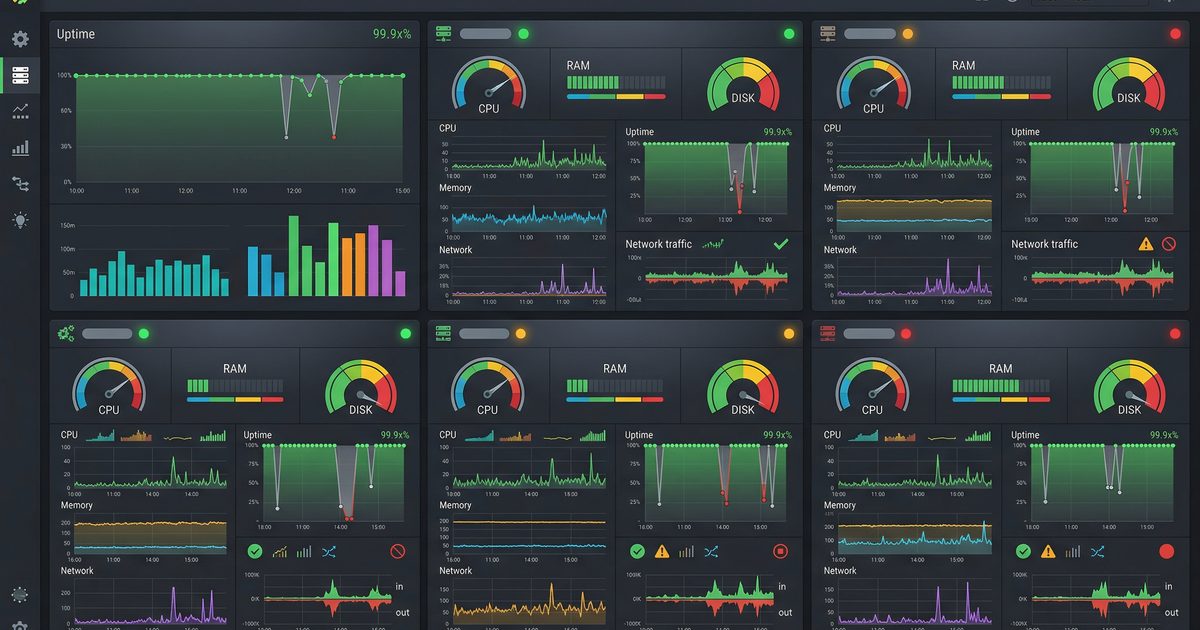

Ada Pertanyaan? Yuk Ngobrol!
Butuh bantuan setup OpenClaw, konsultasi IT, atau mau diskusi project engineering? Book a call langsung — gratis.
Book a Call — Gratisvia Cal.com • WITA (UTC+8)
Newsletter
Subscribe to Newsletter
Artikel baru, automation notes, dan engineering insight. Clean inbox, no spam.
Dengan subscribe, kamu setuju menerima update seperlunya.