
WhatsApp Jadi Customer Care 24/7 — Solusi Cerdas untuk UMKM Indonesia
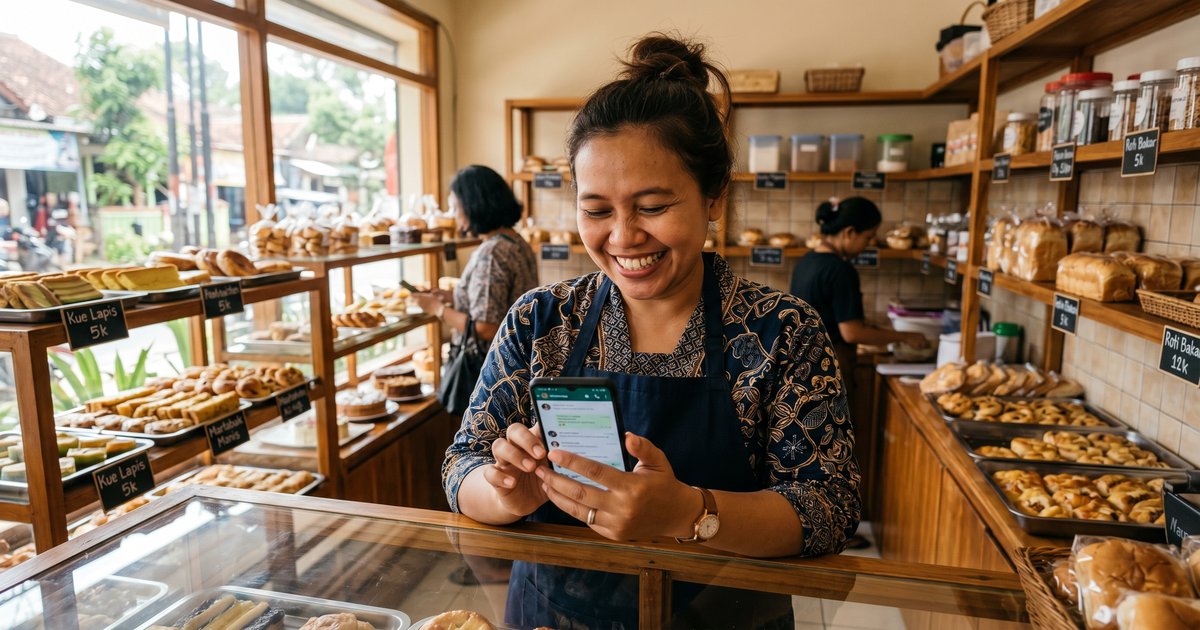
WhatsApp Jadi Customer Care 24/7
Solusi Cerdas untuk UMKM Indonesia
14 menit baca • Beginner to Intermediate • Gratis untuk mulai
Bayangkan WhatsApp kamu jawab pertanyaan pelanggan sendiri mientras kamu tidur, handle order pas jam sibuk, dan nggak pernah miss pesan — even pas 2 pagi pas ada flash sale.
the same thingnumberthe same thing the same thing the same thing the same thing the same thing the same thingnumberthe same thing.
Guide ini nunjukin step-by-step setup automated WhatsApp customer care system yang cocok banget buat bisnis kecil Indonesia. Mau bakery di Balikpapan, cafe di Jakarta, atau toko spare parts di Sidoarjo — kalau WhatsApp adalah front office kamu, tutorial ini tepat.

Kenapa WhatsApp sebagai Customer Care?
Indonesia punya 139 juta WhatsApp users per 2024. Untuk UMKM, WhatsApp Business sering jadi channel digital pertama — kadang satu-satunya — yang pelanggan pakai buat reach bisnis.
The Problem:
- Kamu nggak bisa reply 24/7
- Jam sibuk = pesan missed = penjualan missed
- Pelanggan nanya hal yang sama berulang-ulang
- Lupa follow up lead yang hot
Solusinya: Sistema auto-reply WhatsApp yang handle pertanyaan umum, kirim katalog produk, dan notify kamu kalau memang perlu campur tangan manusia.
Arsitektur Sistem
Berikut cara semua komponen terhubung:

Yang Dibutuhkan
Belum punya VPS? Mulai dengan SumoPod — pakai link affiliate kita:
👉 Daftar SumoPod VPS — VPS cepat, affordable, cocok banget untuk setup begini.
Step 1: Setup WhatsApp Business API
WhatsApp Business API berbeda dari WhatsApp Business app biasa. Ini cara dapat aksesnya:
Option A: Official Meta Partner (Recommended untuk Production)
- Ke Meta Business Suite
- Navigate ke WhatsApp > Getting Started
- Create Business Account
- Apply untuk API access melalui official BSP (Business Solution Provider)
Cost: Usage-based pricing (ada free tier untuk small businesses)
Option B: Development Testing dengan ngrok
Untuk testing lokal, pakai ngrok buat expose server lokal kamu:
# Download dan install ngrok
wget https://bin.equinox.io/c/bNyj1mQVY4c/ngrok-v3-stable-linux-amd64.tgz
tar -xzf ngrok-v3-stable-linux-amd64.tgz
sudo mv ngrok /usr/local/bin/

# Authenticate dengan token kamu
ngrok config add-authtoken YOUR_TOKEN_HERE

# Start tunnel ke port 3000
ngrok http 3000
Copy HTTPS URL yang muncul — ini jadi webhook URL kamu.
Step 2: Install OpenClaw Gateway
Kalau belum install OpenClaw, ini quick setup-nya:
# Download dan install OpenClaw
curl -fsSL https://get.openclaw.ai/install.sh | bash

# Configure dengan API keys kamu
openclaw configure

# Start gateway
openclaw gateway start
Untuk detailed installation instructions, cek official OpenClaw documentation.
Step 3: Configure WhatsApp Webhook Handler
Buat webhook handler buat receive incoming WhatsApp messages:

Sample Webhook Handler (Node.js)
const express = require('express');
const app = express();

app.use(express.json());

// WhatsApp webhook verification
app.get('/webhook/whatsapp', (req, res) => {
    const mode = req.query['hub.mode'];
    const token = req.query['hub.verify_token'];
    const challenge = req.query['hub.challenge'];

    if (mode === 'subscribe' && token === process.env.VERIFY_TOKEN) {
        console.log('Webhook verified!');
        res.status(200).send(challenge);
    } else {
        res.sendStatus(403);
    }
});

// Handle incoming messages
app.post('/webhook/whatsapp', async (req, res) => {
    const entry = req.body.entry?.[0];
    const changes = entry?.changes?.[0];
    const message = changes?.value?.messages?.[0];

    if (message) {
        const from = message.from;
        const text = message.text?.body;

        console.log(`Message from ${from}: ${text}`);

        // Process dengan OpenClaw
        await processMessage(from, text);

        res.sendStatus(200);
    }
});

async function processMessage(from, text) {
    // Route ke AI engine, send auto-reply, notify owner
    // (Full implementation in OpenClaw skills)
}

app.listen(3000, () => {
    console.log('WhatsApp webhook listening on port 3000');
});
Step 4: Create Smart Auto-Response Rules
Kekuatan ada di cara kamu configure responses. Ini pattern yang work untuk UMKM Indonesia:

Sample Response Templates
Untuk Bakery:
Catalog:
🍞 ROTI SEGAR HARIAN
─────────────────────
🧈 Roti Butter    Rp 8.000
🍫 Roti Coklat   Rp 10.000
🍞 Roti Keju     Rp 12.000
🥐 Croissant     Rp 15.000
─────────────────────
📍 Ambil: 08.00-21.00
🚚 Delivery: min 3 pcs

Balas the same thingnumberthe same thing untuk order!
Untuk Toko Spare Parts:
📦 KATALOG SPARE PARTS
──────────────────────
🔧 kategori spare part 1
🔧 kategori spare part 2
🔧 kategori spare part 3
──────────────────────
WhatsApp: 08xx-xxxx-xxxx
📍 Kunjungi toko untuk harga terbaik!

Balas "INFO [nama parts]" untuk detail.
Step 5: Connect Telegram Notifications
Jangan pernah miss lead yang hot — dapat Telegram notifications kalau pelanggan mau order:
# Setup Telegram bot notifications
export TELEGRAM_BOT_TOKEN="your_bot_token"
export TELEGRAM_CHAT_ID="your_chat_id"

# Test notification
curl -s "https://api.telegram.org/bot$TELEGRAM_BOT_TOKEN/sendMessage" \
    -d "chat_id=$TELEGRAM_CHAT_ID" \
    -d "text=🛒 Ada Order Baru dari WhatsApp!"
Step 6: Deploy ke SumoPod
Untuk production, deploy semuanya ke VPS yang reliable:
# SSH ke SumoPod server kamu
sshpass -p 'your_password' ssh -p 2222 root@your_server_ip

# Clone project kamu
git clone https://github.com/yourusername/whatsapp-bot.git
cd whatsapp-bot

# Install dependencies
npm install

# Set environment variables
cp .env.example .env
nano .env  # Isi credentials kamu

# Run dengan PM2 (process manager)
npm install -g pm2
pm2 start src/index.js --name whatsapp-bot

# Auto-start pas reboot
pm2 startup
pm2 save
Butuh VPS? Kita recommend SumoPod:
👉 Get SumoPod VPS — Affordable, fast, perfect untuk bisnis Indonesia.
Hasil Nyata dari UMKM Indonesia
Ini yang bisnis-bisnis report setelah implementasi WhatsApp automation:
Troubleshooting
Message Tidak Terkirim
# Check webhook status
curl -I https://domain-kamu.com/webhook/whatsapp

# Verify WhatsApp API status
# Check Meta Business Suite > WhatsApp > Testing Tools
Bot Respon Too Slow
- Optimize database queries dengan indexes
- Cache frequently-asked responses
- Consider response templates instead of AI generation
Message Formatting Issues
WhatsApp Markdown support limited:
- ✅
*bold*works - ✅
codeworks - ❌ Headers dan tables don't render well
Next Steps
Selamat! Kamu sekarang punya working WhatsApp customer care system.
Apa yang perlu dilakukan selanjutnya:
- Customize responses kamu — Tambah produk, harga, branding kamu
- Setup analytics — Track response times dan conversion rates
- Add payment integration — Connect dengan Xendit atau Duitku untuk checkout seamless
- Scale up — Consider dedicated WhatsApp Business API solution untuk high volume
Untuk tutorial automation lainnya dan VPS guides:
- 📖 OpenClaw SumoPod Blog — VPS setup guides
- 🤖 OpenClaw Documentation — Full platform docs
- 💼 Radian Group — Indonesian engineering excellence
Related Tutorials
Tutorial ini bagian dari project OpenClaw Sumopod — membuat automation accessible untuk UMKM Indonesia.
Last Updated: April 2026
Version: 1.0
Author: Radian IT Team
💡 Punya pertanyaan? Chat langsung ke WhatsApp kami — atau tanya di Telegram @RaditClaw
Ada Pertanyaan? Yuk Ngobrol!
Butuh bantuan setup OpenClaw, konsultasi IT, atau mau diskusi project engineering? Book a call langsung — gratis.
Book a Call — Gratisvia Cal.com • WITA (UTC+8)
📬 Subscribe Newsletter
FreeDapat alert setiap ada artikel baru langsung ke inbox kamu. Free, no spam. 🚀
👥 Join 0+ engineers & tech enthusiasts
Zainul Fanani
Founder, Radian Group. Engineering & tech enthusiast.
💬 Komentar