
Multi-Agent dengan Shared Memory — AI Team yang Bisa Ngobrol Sama
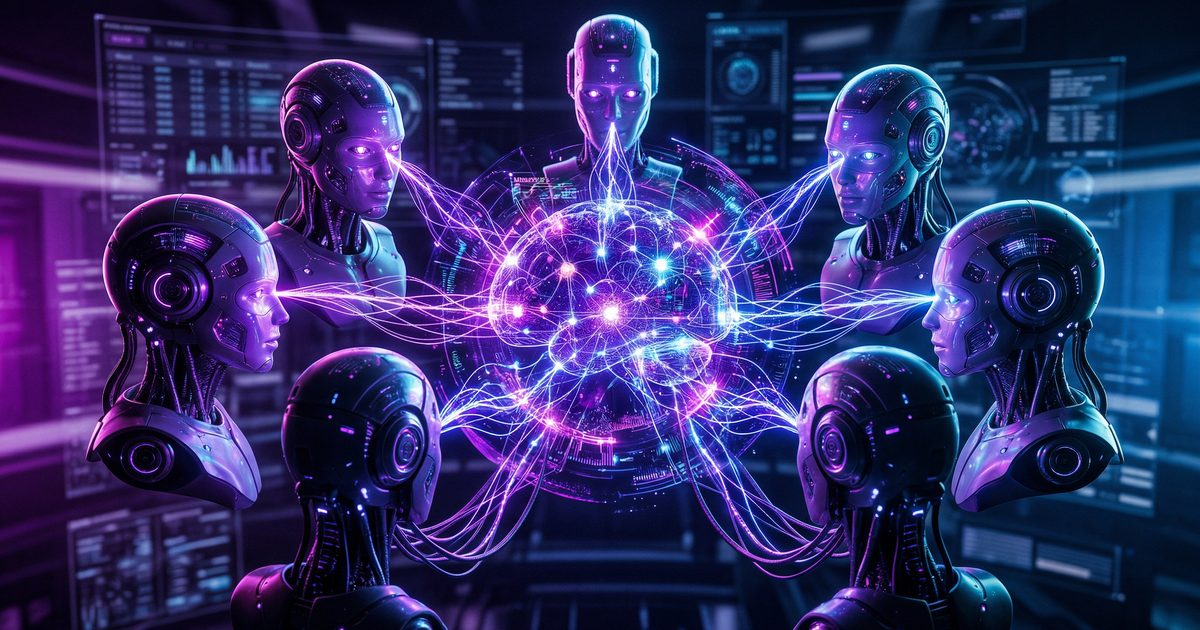
📎 Source:openclaw-sumopod — view on GitHub & star ⭐
🧠 Multi-Agent Shared Memory System
Multiple AI agents sharing knowledge through GitHub — create your own agent team with shared memory!
🎯 What You'll Build
┌─────────────────────────────────────────────────────────────┐
│              MULTI-AGENT SHARED MEMORY ARCHITECTURE          │
├─────────────────────────────────────────────────────────────┤
│                                                             │
│   ┌─────────────────────────────────────────────────┐      │
│   │           📚 SHARED KNOWLEDGE BASE               │      │
│   │              (GitHub Repository)                 │      │
│   ├─────────────────────────────────────────────────┤      │
│   │  📄 Core Memory Files                           │      │
│   │     • AGENTS.md        → Behavior rules         │      │
│   │     • USER.md          → User preferences       │      │
│   │     • MEMORY.md        → Long-term memory       │      │
│   │     • TOOLS.md         → Tool configurations    │      │
│   │                                                 │      │
│   │  📅 Daily Logs                                  │      │
│   │     • memory/2024-03-01.md                      │      │
│   │     • memory/2024-03-02.md                      │      │
│   │                                                 │      │
│   │  🧠 Lessons Learned                             │      │
│   │     • tasks/lessons.md                          │      │
│   └──────────────────────┬──────────────────────────┘      │
│                          │                                  │
│           ┌──────────────┼──────────────┐                  │
│           ▼              ▼              ▼                  │
│      ┌────────┐    ┌────────┐    ┌────────┐               │
│      │ Agent  │    │ Agent  │    │ Agent  │               │
│      │Alpha   │◀──▶│Beta    │◀──▶│Gamma   │               │
│      │        │    │        │    │        │               │
│      │Creative│    │Research│    │Technical│              │
│      └────────┘    └────────┘    └────────┘               │
│           │              │              │                  │
│           └──────────────┼──────────────┘                  │
│                          │                                 │
│                          ▼                                 │
│                   ┌────────────┐                          │
│                   │   User     │                          │
│                   └────────────┘                          │
│                                                             │
└─────────────────────────────────────────────────────────────┘
🎯 Use Case Example
Scenario: You run a business and need different AI assistants for different tasks
Team Setup:
- 🎨 Agent Alpha → Creative tasks (content, design ideas)
- 📊 Agent Beta → Research & analysis (reports, data)
- 🛠️ Agent Gamma → Technical tasks (coding, automation)
Problem:
- Each agent starts fresh — no memory of previous conversations
- User has to repeat preferences to each agent
- Lessons learned by one agent aren't shared
Solution:
- Shared memory via GitHub
- All agents sync core knowledge
- Unified experience across all agents
🏗️ Architecture Overview
┌─────────────────────────────────────────────────────────────┐
│                    MEMORY SYNC FLOW                         │
├─────────────────────────────────────────────────────────────┤
│                                                             │
│   AGENT ALPHA (Local)          GITHUB (Cloud)              │
│   ┌─────────────────┐          ┌─────────────────┐         │
│   │ Workspace       │◀────────▶│ Repository      │         │
│   │ /workspace-alpha│   Push   │ github.com/...  │         │
│   │                 │          │                 │         │
│   │ • SOUL.md       │          │ • SOUL.md       │         │
│   │ • USER.md       │  Pull    │ • USER.md       │         │
│   │ • MEMORY.md     │◀────────▶│ • MEMORY.md     │         │
│   │                 │          │                 │         │
│   └─────────────────┘          └─────────────────┘         │
│           ▲                            ▲                    │
│           │                            │                    │
│           │      ┌─────────────────┐   │                    │
│           └──────│   AGENT BETA    │───┘                    │
│                  │ (Pulls shared   │                        │
│                  │  memory)        │                        │
│                  └─────────────────┘                        │
│                                                             │
│   CRON: Auto-sync every 15 minutes                         │
│                                                             │
└─────────────────────────────────────────────────────────────┘
📁 File Structure
shared-memory-repo/
├── AGENTS.md                 # Agent behavior rules
├── USER.md                   # User profile & preferences
├── MEMORY.md                 # Long-term curated memory
├── TOOLS.md                  # Tool configurations
├── HEARTBEAT.md              # Periodic task config
├── SYNC.md                   # Sync instructions
├── memory/
│   ├── 2024-03-01.md        # Daily activity logs
│   ├── 2024-03-02.md
│   └── ...
├── diary/
│   └── 2024-03-01.md        # Agent reflections
├── tasks/
│   └── lessons.md           # Shared lessons learned
└── scripts/
    └── sync.sh              # Auto-sync script
🛠️ Step-by-Step Setup
Step 1: Create GitHub Repository
# Create new repository on GitHub
# Name: my-agent-memory
# Visibility: Private (recommended)
Step 2: Generate GitHub PAT (Personal Access Token)
# Go to: GitHub Settings → Developer settings → Personal access tokens
# Generate new token (classic) with these scopes:
#   ✅ repo (full control of private repositories)
#   ✅ read:org (if using org repos)

# Save your token securely
export GITHUB_TOKEN="ghp_xxxxxxxxxxxx"
Step 3: Create Core Memory Files
Save this as AGENTS.md:
# AGENTS.md — Agent Team Configuration

## Team Members

### Agent Alpha (Creative)
- **Domain:** Content creation, design, marketing
- **Personality:** Fun, witty, creative
- **Handle:** Creative tasks, social media, branding

### Agent Beta (Research)
- **Domain:** Data analysis, research, reports
- **Personality:** Analytical, precise, thorough
- **Handle:** Reports, data analysis, insights

### Agent Gamma (Technical)
- **Domain:** Coding, DevOps, automation
- **Personality:** Technical, methodical, builder
- **Handle:** Infrastructure, scripts, deployments

## Routing Rules

| Task Type | Route To |
|-----------|----------|
| Content ideas | Agent Alpha |
| Market research | Agent Beta |
| Coding help | Agent Gamma |
| Multi-domain | Coordinator (Alpha) |
Save this as USER.md:
# USER.md — User Profile

## Identity
- **Name:** Alex Johnson
- **Timezone:** EST (UTC-5)
- **Preferred Language:** English

## Preferences
- **Communication Style:** Direct, no fluff
- **Technical Level:** Intermediate
- **Response Format:** Bullet points preferred

## Tools Access
- Google Workspace
- Slack
- GitHub
- Notion

## Important Context
- Works at TechCorp Inc.
- Manages 3 projects
- Prefers morning meetings
Save this as MEMORY.md:
# MEMORY.md — Long-Term Memory

## Key Decisions
- [2024-03-01] Switched to Kimi K2.5 as primary model
- [2024-03-05] Migrated from n8n to gog CLI for speed

## Active Projects
- Project Phoenix (deadline: April 15)
- Website redesign (in progress)
- Q2 planning (starting soon)

## Tool Configurations
- gog CLI: alex@techcorp.com
- Primary model: kimi-coding/k2p5
- Backup model: zai/glm-4.7

## Lessons Learned
- Always verify workspace before git operations
- Cache financial data for 5 minutes max
- Use Redis for session state
Step 4: Create Sync Script
Save this as scripts/sync.sh:
#!/bin/bash

# =============================================================================
# 🔄 Multi-Agent Memory Sync Script
# =============================================================================

set -e

# 🎨 Colors
GREEN='\033[0;32m'
BLUE='\033[0;34m'
YELLOW='\033[1;33m'
RED='\033[0;31m'
NC='\033[0m'

# 📁 Configuration
REPO_URL="https://oauth2:${GITHUB_TOKEN}@github.com/yourusername/my-agent-memory.git"
LOCAL_DIR="${HOME}/.agent-memory"
AGENT_NAME="${AGENT_NAME:-default}"

log() {
    echo -e "${BLUE}[$(date '+%H:%M:%S')]${NC} $1"
}

success() {
    echo -e "${GREEN}[✓]${NC} $1"
}

warning() {
    echo -e "${YELLOW}[!]${NC} $1"
}

error() {
    echo -e "${RED}[✗]${NC} $1"
}

# =============================================================================
# 🔄 SYNC FUNCTIONS
# =============================================================================

sync_from_github() {
    log "🔄 Pulling latest memory from GitHub..."

    if [ -d "$LOCAL_DIR/.git" ]; then
        cd "$LOCAL_DIR"
        git pull origin main --rebase 2>/dev/null || {
            warning "Pull failed, attempting stash & retry..."
            git stash
            git pull origin main --rebase
            git stash pop 2>/dev/null || true
        }
    else
        log "📁 Cloning repository..."
        rm -rf "$LOCAL_DIR"
        git clone "$REPO_URL" "$LOCAL_DIR"
    fi

    success "Memory synced from GitHub"
}

sync_to_github() {
    log "🔄 Pushing local changes to GitHub..."

    cd "$LOCAL_DIR"

    # Check if there are changes
    if git diff --quiet && git diff --cached --quiet; then
        log "No changes to push"
        return 0
    fi

    # Add, commit, push
    git add -A
    git commit -m "[$AGENT_NAME] Memory update: $(date '+%Y-%m-%d %H:%M')" || true
    git push origin main

    success "Memory pushed to GitHub"
}

# =============================================================================
# 📂 SETUP AGENT WORKSPACE
# =============================================================================

setup_agent_workspace() {
    local agent_workspace="${AGENT_WORKSPACE:-$HOME/.agent-workspace}"

    log "📂 Setting up agent workspace: $agent_workspace"

    # Create symlinks to shared memory
    mkdir -p "$agent_workspace"

    for file in AGENTS.md USER.md MEMORY.md TOOLS.md HEARTBEAT.md; do
        if [ -f "$LOCAL_DIR/$file" ]; then
            ln -sf "$LOCAL_DIR/$file" "$agent_workspace/$file" 2>/dev/null || true
        fi
    done

    # Create local memory directory
    mkdir -p "$agent_workspace/local-memory"

    success "Agent workspace ready"
}

# =============================================================================
# 🚀 MAIN
# =============================================================================

main() {
    local command="${1:-sync}"

    log "🚀 Agent Memory Sync — Agent: $AGENT_NAME"

    case "$command" in
        pull|sync)
            sync_from_github
            setup_agent_workspace
            ;;
        push)
            sync_to_github
            ;;
        full)
            sync_from_github
            setup_agent_workspace
            sync_to_github
            ;;
        *)
            echo "Usage: $0 {pull|push|full|sync}"
            echo "  pull/sync: Download from GitHub"
            echo "  push:      Upload to GitHub"
            echo "  full:      Pull + setup + push"
            exit 1
            ;;
    esac

    success "Sync complete!"
}

main "$@"
Make it executable:
chmod +x scripts/sync.sh
Step 5: Push to GitHub
# Initialize and push
cd my-agent-memory-repo
git init
git add -A
git commit -m "Initial memory setup"
git branch -M main
git remote add origin https://github.com/yourusername/my-agent-memory.git
git push -u origin main
🤖 Agent Setup
Configure Each Agent
For Agent Alpha (add to its startup):
# Set agent identity
export AGENT_NAME="alpha"
export AGENT_WORKSPACE="/home/alpha/workspace"
export GITHUB_TOKEN="ghp_xxxx"

# Sync on startup
~/agent-memory/scripts/sync.sh pull
For Agent Beta:
export AGENT_NAME="beta"
export AGENT_WORKSPACE="/home/beta/workspace"
export GITHUB_TOKEN="ghp_xxxx"

~/agent-memory/scripts/sync.sh pull
For Agent Gamma:
export AGENT_NAME="gamma"
export AGENT_WORKSPACE="/home/gamma/workspace"
export GITHUB_TOKEN="ghp_xxxx"

~/agent-memory/scripts/sync.sh pull
⏰ Automation with Cron
Auto-Sync Every 15 Minutes
Add to each agent's crontab:
# Edit crontab
crontab -e

# Add these lines
*/15 * * * * GITHUB_TOKEN=ghp_xxxx AGENT_NAME=alpha ~/agent-memory/scripts/sync.sh push 2>> /tmp/sync.log
*/15 * * * * GITHUB_TOKEN=ghp_xxxx AGENT_NAME=beta ~/agent-memory/scripts/sync.sh push 2>> /tmp/sync.log
*/15 * * * * GITHUB_TOKEN=ghp_xxxx AGENT_NAME=gamma ~/agent-memory/scripts/sync.sh push 2>> /tmp/sync.log
Startup Sync
Add to each agent's .bashrc or startup script:
# Auto-sync memory on login
if [ -f ~/agent-memory/scripts/sync.sh ]; then
    ~/agent-memory/scripts/sync.sh pull 2>/dev/null
fi
🔄 Sync Flow Diagram
┌─────────────────────────────────────────────────────────────┐
│                    SYNC SEQUENCE                            │
├─────────────────────────────────────────────────────────────┤
│                                                             │
│  AGENT ALPHA                    GITHUB                      │
│  ┌──────────────┐              ┌──────────────┐            │
│  │ User asks    │              │              │            │
│  │ question     │              │              │            │
│  └──────┬───────┘              │              │            │
│         │                      │              │            │
│         ▼                      │              │            │
│  ┌──────────────┐              │              │            │
│  │ Read local   │              │              │            │
│  │ memory files │              │              │            │
│  └──────┬───────┘              │              │            │
│         │                      │              │            │
│         ▼                      │              │            │
│  ┌──────────────┐              │              │            │
│  │ Answer with  │              │              │            │
│  │ context      │              │              │            │
│  └──────┬───────┘              │              │            │
│         │                      │              │            │
│         ▼                      ▼              │            │
│  ┌──────────────┐      ┌──────────────┐      │            │
│  │ Save to      │─────▶│ Commit &    │─────▶│            │
│  │ local memory │      │ push         │      │            │
│  └──────────────┘      └──────────────┘      │            │
│                              │               │            │
│                              ▼               │            │
│                         ┌──────────────┐     │            │
│                         │ Repository   │     │            │
│                         │ updated      │     │            │
│                         └──────┬───────┘     │            │
│                                │             │            │
└────────────────────────────────┼─────────────┘            │
                                 │                          │
                                 ▼                          │
  AGENT BETA                     GITHUB                     │
  ┌──────────────┐              ┌──────────────┐           │
  │ Pull latest  │◀─────────────│              │           │
  │ memory       │              │              │           │
│  └──────┬───────┘              │              │           │
│         │                      │              │           │
│         ▼                      │              │           │
│  ┌──────────────┐              │              │           │
│  │ Has context  │              │              │           │
│  │ from Alpha!  │              │              │           │
│  └──────────────┘              │              │           │
│                                │              │           │
└────────────────────────────────┘              │           │
                                                │           │
                                                ▼           │
✅ Verification
Test Sync
# On Agent Alpha
echo "Test from Alpha" >> ~/.agent-memory/memory/test.txt
~/agent-memory/scripts/sync.sh push

# On Agent Beta
~/agent-memory/scripts/sync.sh pull
cat ~/.agent-memory/memory/test.txt
# Should show: Test from Alpha
Check Git History
cd ~/.agent-memory
git log --oneline -10
# Should show commits from different agents
🎓 Advanced Features
Agent-Specific Local Memory
Each agent can have private memory that doesn't sync:
# In agent workspace
mkdir -p local-memory/

# This stays local
echo "Alpha's private notes" > local-memory/private.txt

# Only sync shared files
Merge Conflict Handling
# If conflicts occur, the script will:
# 1. Stash local changes
# 2. Pull from GitHub
# 3. Pop stash (attempt merge)

# Manual resolution if needed:
cd ~/.agent-memory
git status
# Edit conflicting files
git add -A
git commit -m "Resolved merge conflict"
git push
Selective Sync
Only sync specific file types:
# Modify sync.sh to filter
sync_to_github() {
    cd "$LOCAL_DIR"

    # Only sync .md files, ignore .tmp
    git add *.md
    git add memory/*.md

    git commit -m "[$AGENT_NAME] Update" || true
    git push
}
📊 Benefits Summary
🚀 Next Steps
- Set up your first agent → Follow Step 1-5
- Add second agent → Copy configuration, change AGENT_NAME
- Test sync → Create a file, verify it appears on other agents
- Add automation → Set up cron for auto-sync
📚 Related Tutorials
Questions? Join the OpenClaw Discord 🤖
← Artikel Sebelumnya
Redis Caching Pattern: Akselerasi API 10x dengan Cache yang Benar
Artikel Selanjutnya →
⚠️ BUG CRITICAL: Jangan Update OpenClaw ke Versi 2026.3.7!
Baca Juga

Ada Pertanyaan? Yuk Ngobrol!
Butuh bantuan setup OpenClaw, konsultasi IT, atau mau diskusi project engineering? Book a call langsung — gratis.
Book a Call — Gratisvia Cal.com • WITA (UTC+8)
Newsletter
Subscribe to Newsletter
Artikel baru, automation notes, dan engineering insight. Clean inbox, no spam.
Dengan subscribe, kamu setuju menerima update seperlunya.