
Tutorial: OpenClaw Troubleshooting Guide Lengkap
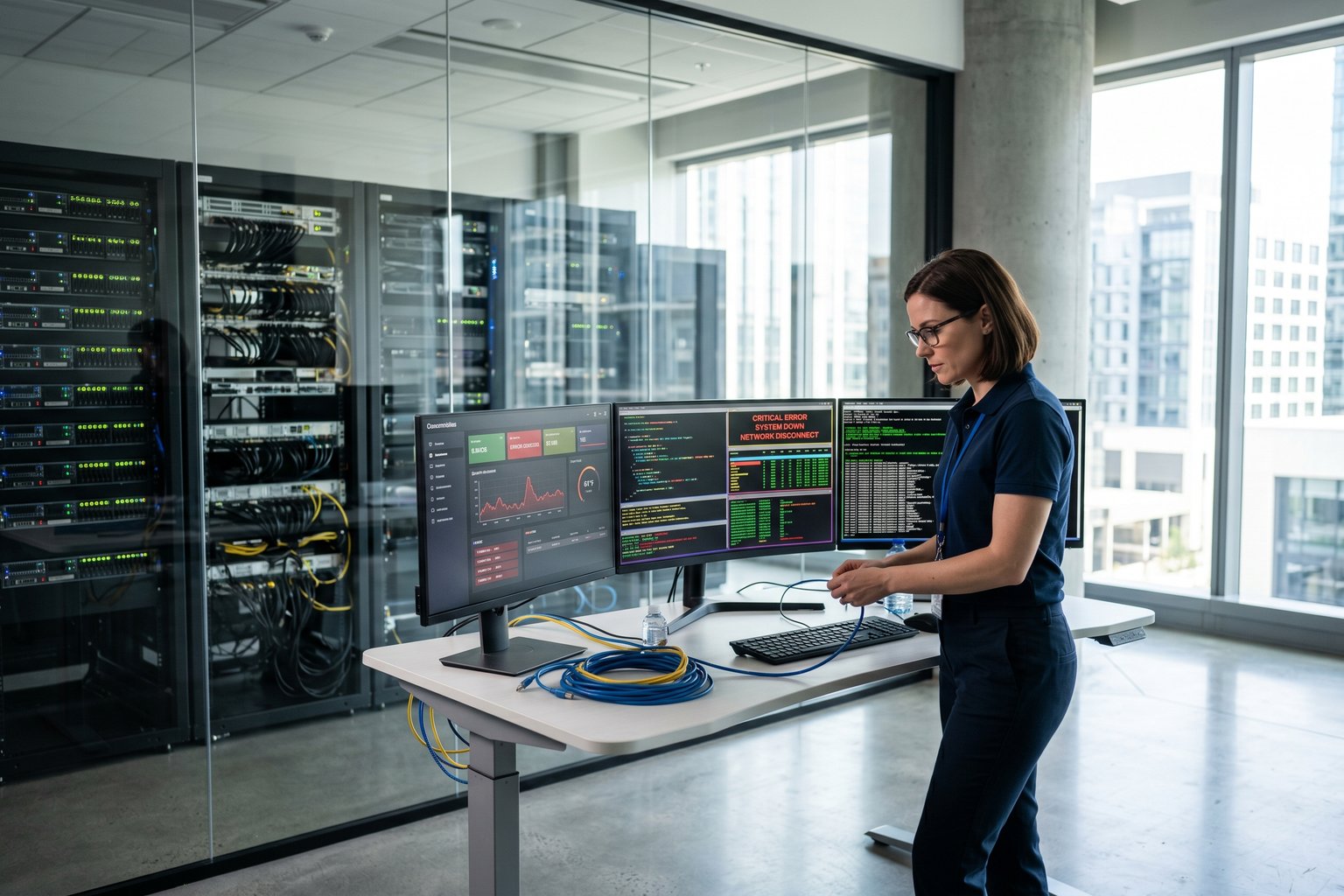
Tutorial: OpenClaw Troubleshooting Guide Lengkap
25 menit baca - Intermediate to Advanced
Kenapa Guide Ini Penting
Lo bangun pagi. AI assistant lo gak respond. Client-client lo nge-chat di Telegram tapi gak dapat balasan. Cron job automated lo berhenti tiga jam lalu. Dashboard nunjukin merah semua.
Guide ini solve itu.
OpenClaw itu reliable kalau udah jalan bener, tapi pasti ada aja yang break. Channel disconnect setelah update. Model kena rate limit. Context window overflow. Docker container crash. Sessions numpuk sampe disk penuh.
Ini guide yang covering semua masalah yang actually terjadi di production, berdasarkan GitHub issues nyata, Reddit posts, dan Discord support threads.
Kita cover every layer:

Setiap layer punya failure modes sendiri. Kita cover semuanya.
Part 1: Lima Menit Pertama
Sebelum masuk ke masalah spesifik, jalankan sequence ini setiap kali sesuatu break.
# Step 1: Check overall gateway status
openclaw status

# Step 2: Check gateway process specifically
openclaw gateway status

# Step 3: Watch live logs for errors
openclaw logs --follow

# Step 4: Run the diagnostic suite
openclaw doctor

# Step 5: Check channel connectivity
openclaw channels status --probe
Yang healthy itu terlihat seperti:
Runtime: running
RPC probe: ok
Channel probes: all return "works" or "audit ok"
Kalau Runtime bukan running, gateway process-nya dead. Kalau RPC probe bukan ok, gateway alive tapi gak respond. Kalau channel probes fail, specific channel handler yang broken.
Part 2: Gateway Gak Mau Start
Masalah: Gateway Process Terus Restart
Official Docker container restart terus. Logs nunjukin gateway timeout saat startup.
Kenapa terjadi: File sessions.json grow terlalu besar. Waktu hitungannya cukup besar, loading ke memory makan waktu lama dan startup watchdog kill process sebelum selesai load.
Cara fix:
# Check sessions file size
ls -lh ~/.openclaw/sessions/sessions.json

# Kalau udah lebih dari 50MB, archive
cp ~/.openclaw/sessions/sessions.json ~/.openclaw/sessions/sessions.json.backup

# Create fresh sessions file
echo '{}' > ~/.openclaw/sessions/sessions.json

# Restart gateway
openclaw gateway restart
Ini issue #51097 di GitHub. Fix-nya archive old sessions dan start fresh.
Masalah: Docker Container Crash Setelah Enable Discord
Lo enable Discord plugin lewat web UI terus container langsung crash.
Kenapa terjadi: Docker build process gak copy plugin runtime files dengan bener. Waktu Discord coba initialize, dia gak nemu file yang diperlukan.
Cara fix:
# Pull latest image
docker pull openclaw/openclaw:latest

# Rebuild container without cache
docker build --no-cache -t openclaw/openclaw:latest .

# Atau pake pre-built official image
# mount config externally
docker run -d \
  -v /path/to/config:/root/.openclaw \
  -p 18789:18789 \
  openclaw/openclaw:latest
Masalah: Gateway Start Tapi RPC Probe Fail
Gateway process jalan tapi gak respond ke RPC calls. Biasanya terjadi setelah config change atau incomplete update.
Cara fix:
# Generate fresh gateway token
openclaw doctor --generate-gateway-token

# Restart gateway
openclaw gateway restart

# Verify RPC working
openclaw status
Kalau gak works, check config file langsung:
# View current config
openclaw config get

# Check for syntax errors
openclaw config validate
Masalah: Out of Memory di Command Basic
Sesudah upgrade ke v2026.3.12, setiap CLI command fail dengan JavaScript heap out of memory error.
Kenapa terjadi: Memory leak di versi itu causes Node.js heap to exhaust on any operation yang load workspace.
Cara fix:
# Option 1: Increase Node.js heap size for this session
NODE_OPTIONS="--max-old-space-size=4096" openclaw status

# Option 2: Upgrade ke latest version (memory leak fixed)
npm install -g openclaw@latest

# Option 3: Clear session cache sementara
rm -rf ~/.openclaw/agents/*/sessions/*.json
openclaw gateway restart
Part 3: Channel Problems
Channels adalah tempat users berinteraksi sama agents lo. Waktu channels break, users langsung notice.
WhatsApp: Connected Tapi Gak Ada DM Replies
Lo lihat WhatsApp sebagai connected di status, tapi users gak dapat reply ke direct messages.
The fastest check:
openclaw pairing list whatsapp
Kalau sender gak ada di pairing list, message di-drop silently.
Cara fix:
# Approve specific sender
openclaw pairing approve whatsapp --sender "6281234567890"

# Atau switch ke allow-all DMs (less secure)
# Edit openclaw.json:
{
  "channels": {
    "whatsapp": {
      "accounts": {
        "default": {
          "dmPolicy": "allow"
        }
      }
    }
  }
}
WhatsApp: Disconnect dan Relogin Loop
WhatsApp connection drop setiap beberapa menit terus keep re-authenticating.
Kenapa terjadi: Biasanya caused by unstable internet connection, expired WhatsApp session token, atau credentials directory yang corrupted.
Cara fix:
# Re-login ke WhatsApp
openclaw channels logout --channel whatsapp --account default
openclaw channels login --channel whatsapp --account default

# Check credentials directory health
ls -la ~/.openclaw/channels/whatsapp/

# Kalau directory looks corrupted
# remove dan re-authenticate
rm -rf ~/.openclaw/channels/whatsapp/default
openclaw channels login --channel whatsapp --account default

# Restart gateway
openclaw gateway restart
Telegram: Bot Online Tapi Group Gak Respond
Telegram bot nunjukin connected. Lo bisa DM dan dapat reply. Tapi messages di groups gak pernah dapat response.
Kenapa terjadi: Dua kemungkinan. Pertama, bot punya privacy mode enabled, jadi dia gak bisa read group messages. Kedua, group gak ada di allowlist.
Cara fix:
# Check group allowlist
openclaw config get channels.telegram.accounts.default.groups

# Kalau group gak listed, add
openclaw channels allow --channel telegram --group "-1001234567890"

# Check kalau mentions required
openclaw config get channels.telegram.accounts.default.requireMention

# Kalau requireMention true dan group lo gak mention bots,
# disable untuk group itu
openclaw channels config --channel telegram --group "-1001234567890" \
  --set requireMention=false
Untuk fix privacy mode issue, pergi ke @BotFather di Telegram:
- Kirim
/mybot - Pilih bot lo
- Privacy mode -> Disable
Telegram: Send Failures With Network Errors
Bot bisa receive messages tapi gak bisa send replies. Logs show Telegram API call failures.
Kenapa terjadi: DNS issues, IPv6 routing problems, atau proxy yang block api.telegram.org.
Cara fix:
# Test connectivity ke Telegram API
curl -v https://api.telegram.org

# Kalau DNS issue, pake Google DNS
echo "8.8.8.8 api.telegram.org" >> /etc/hosts

# Kalau behind proxy, configure
export HTTPS_PROXY="http://your-proxy:8080"
openclaw gateway restart

# Atau add proxy settings ke config
{
  "channels": {
    "telegram": {
      "proxy": {
        "url": "http://your-proxy:8080"
      }
    }
  }
}
Telegram: 429 Rate Limit Errors
Lo terus dapat "429 error: token allotment exceeded" padahal bot worked fine sebelumnya.
Kenapa terjadi: Telegram punya per-bot message rate limits. Kalau lo send too many messages per second across all chats, Telegram temporary block bot-nya.
Cara fix:
# Check if it is rate limit by looking at error frequency
openclaw logs --lines 100 | grep 429

# Implement rate limit delay between messages
# Edit channel config:
{
  "channels": {
    "telegram": {
      "accounts": {
        "default": {
          "rateLimit": {
            "maxPerSecond": 1,
            "maxPerMinute": 30
          }
        }
      }
    }
  }
}

# Restart gateway
openclaw gateway restart
Discord: Bot Online Tapi Gak Ada Guild Replies
Discord bot connected ke server lo tapi ignore semua messages.
Kenapa terjadi: Message Content Intent gak enabled, atau bot gak punya access ke specific channel.
Cara fix:
- Pergi ke Discord Developer Portal
- Pilih application lo
- Goes to Bot -> Privileged Gateway Intents
- Enable Message Content Intent
- Save dan restart bot
Then verify in OpenClaw:
# Check Discord channel status
openclaw channels status --probe discord

# Check which channels are allowed
openclaw config get channels.discord.accounts.default.channels

# Allow specific channel
openclaw channels allow --channel discord --channel "channel-id-here"
Discord: Reasoning Content Leak ke Responses
Users see internal thinking tags dan reasoning content di Discord responses. Ini known bug di beberapa versi.
Cara fix:
# Check OpenClaw version
openclaw --version

# Upgrade kalau lo di affected version
npm install -g openclaw@latest

# Kalau gak bisa upgrade, disable thinking output untuk Discord
# Edit config:
{
  "channels": {
    "discord": {
      "accounts": {
        "default": {
          "thinkingMode": "hidden"
        }
      }
    }
  }
}

# Restart gateway
openclaw gateway restart
Discord: Sessions Bypass Compaction
Semua Discord channel sessions accumulate sampai hit context overflow. Compaction system gak jalan dengan bener untuk Discord sessions.
Kenapa terjadi: Bug di session tracking causes Discord sessions di-exclude dari automatic compaction schedule.
Cara fix:
# Manually trigger compaction untuk Discord sessions
openclaw sessions compact --channel discord --all

# Kalau sessions udah overflowed, reset
openclaw sessions list --channel discord
# Find session ID yang broken
openclaw sessions reset <session-id>

# Set up cron job untuk prevent ini di masa depan
openclaw cron add \
  --name "discord-session-cleanup" \
  --every 6h \
  --command "sessions compact --channel discord"
All Channels: Channel Fail to Initialize Setelah Gateway Restart
Lo restart gateway terus channel (usually WhatsApp atau Telegram) fail to initialize. Logs bilang something about missing token atau failed authentication.
Kenapa terjadi: Gateway restart process sometimes re-writes config file during initialization. Kalau channel credentials stored sebagai SecretRefs, they might not resolve correctly during restart sequence.
Cara fix:
# Re-authenticate channel
openclaw channels logout --channel telegram --account default
openclaw channels login --channel telegram --account default

# Restart gateway
openclaw gateway restart

# Kalau issue persists, check kalau channel config was modified
openclaw config get channels.telegram.accounts.default
Part 4: AI dan Model Errors
Context Overflow Errors di Fresh Sessions
Lo dapat "context overflow" error padahal session baru dan workspace kosong.
Kenapa terjadi: OpenClaw think model punya 200k token context window, tapi actual provider return overflow error karena model yang dipake punya window lebih kecil. Mismatch ini causes premature overflow errors.
Cara fix:
# Check model apa yang sebenarnya dipake
openclaw models list

# Check actual context window untuk model itu
openclaw models list --verbose | grep -A5 "claude-sonnet"

# Kalau config punya wrong window size, override
{
  "models": {
    "providers": {
      "anthropic": {
        "models": [
          {
            "id": "claude-sonnet-4-7-20250514",
            "contextWindow": 200000,
            "contextTokens": 180000
          }
        ]
      }
    }
  }
}
Model Failover Gak Trigger di Rate Limit
Primary model kena 429 rate limit tapi OpenClaw gak switch ke fallback model. Everything just fails.
Kenapa terjadi: Known bug. Failover system checks for specific error signatures tapi gak properly detect 429 errors dari semua providers. Shows "All models failed" even though cuma primary yang kena rate limit.
Cara fix:
# Manually trigger failover
openclaw models failover --agent main

# Kalau pake OpenRouter, configure explicit fallback
{
  "agents": {
    "list": [
      {
        "id": "main",
        "model": "anthropic/claude-sonnet-4-7-20250514",
        "fallback": "openai/gpt-4o"
      }
    ]
  }
}

# Restart gateway
openclaw gateway restart

# Monitor model apa yang active
openclaw status | grep "Active model"
False Rate Limit Errors Waktu API Fine
OpenClaw nunjukin "API rate limit reached" tapi upstream API actually responding normally. Users dapat error messages padahal nothing wrong dengan provider.
Kenapa terjadi: Bug di error classification logic causes OpenClaw misidentify normal responses sebagai rate limit errors.
Cara fix:
# Check upstream API directly
curl -H "Authorization: Bearer YOUR_API_KEY" \
  https://api.anthropic.com/v1/messages \
  --data '{"model":"claude-sonnet-4","max_tokens":10,"messages":[{"role":"user","content":"hi"}]}'

# Kalau API responds fine, issue-nya di OpenClaw
# Upgrade ke latest version
npm install -g openclaw@latest

# Kalau gak bisa upgrade, disable rate limit detection sementara
{
  "agents": {
    "defaults": {
      "rateLimitDetection": false
    }
  }
}
Model Not Allowed Error Setelah OpenRouter Rate Limit
Lo kena $5 spending cap di OpenRouter. Setelah itu, switching models fails dengan "model not allowed" untuk ALL models.
Kenapa terjadi: Waktu OpenRouter account kena spending cap, entire API key jadi temporarily invalid. Semua model requests fail sampai cap reset atau lo add more credit.
Cara fix:
# Check OpenRouter usage
openclaw logs --lines 50 | grep "openrouter"

# Add more credit ke OpenRouter account
# atau wait for billing cycle reset

# Sementara, pake different API provider
{
  "agents": {
    "list": [
      {
        "id": "main",
        "model": "anthropic/claude-sonnet-4",
        "provider": "anthropic"
      }
    ]
  }
}
Agent Reply Silently Dropped di Rate Limit
Waktu 429 rate limit error occurs on last model call of an agent run, OpenClaw ends run dengan aborted=false dan user never get reply. Message just disappears.
Cara fix:
# Enable delivery confirmation
{
  "agents": {
    "defaults": {
      "confirmDelivery": true
    }
  }
}

# Set retry policy untuk rate limit errors
{
  "agents": {
    "defaults": {
      "retryOnRateLimit": {
        "maxAttempts": 3,
        "backoffSeconds": 5
      }
    }
  }
}

# Restart gateway
openclaw gateway restart
Part 5: Memory dan Session Problems
Session Memory Files Growing Out of Control
Sessions directory contains hundreds of session files dan makan disk space. Gateway makin lama start.
Cara fix:
# Find large session files
find ~/.openclaw -name "*.json" -size +10M -ls

# Archive old sessions
openclaw sessions archive --older-than 30d

# Set up automatic pruning
openclaw sessions prune --keep 50 --by-size

# Kalau sessions.json sendiri huge, split
python3 -c "
import json
with open('~/.openclaw/sessions/sessions.json') as f:
    data = json.load(f)
# Split into monthly files
months = {}
for k, v in data.items():
    month = k[:7]
    months.setdefault(month, {})[k] = v
for month, records in months.items():
    with open(f'~/.openclaw/sessions/sessions-{month}.json', 'w') as f:
        json.dump(records, f)
print('Split into', len(months), 'files')
"
Compaction Gak Jalan Automatically
Sessions makin gede dan OpenClaw gak automatically compacting them. Users see context overflow errors lebih sering.
Cara fix:
# Check if compaction enabled
openclaw config get agents.defaults.compaction.enabled

# Kalau disabled, enable
openclaw config set agents.defaults.compaction.enabled true

# Check compaction schedule
openclaw config get agents.defaults.compaction.threshold

# Set reasonable threshold (default 160000 tokens)
openclaw config set agents.defaults.compaction.threshold 140000

# Manually trigger compaction untuk all sessions
openclaw sessions compact --all

# Check compaction history
openclaw logs --lines 100 | grep compaction
Active Memory Ignore Workspace Files
Lo update MEMORY.md dengan important team data, tapi agent gak see it. Agent acts like file kosong atau contains old information.
Kenapa terjadi: Active memory system caches its state. Updates to workspace files do not automatically trigger memory refresh.
Cara fix:
# Force memory refresh
openclaw memory refresh --workspace

# Atau restart memory server
openclaw memory restart

# Verify memory was loaded
openclaw memory list --workspace

# Kalau multi-agent setup, check workspace
# correctly linked ke right agent
openclaw agents list --bindings
Memory Search Return No Results
Lo pake memory search feature tapi returns nothing, even for queries yang seharusnya match.
Cara fix:
# Check memory database status
openclaw memory status

# Rebuild search index
openclaw memory rebuild

# Test with known query
openclaw memory search "test query"

# Kalau pake custom embedding provider, check its status
openclaw config get memory.embeddingProvider
Part 6: Docker dan Container Issues
Container Pakai Too Much Memory
OpenClaw Docker container consuming 8GB RAM dan server lo swap.
Cara fix:
# Set hard memory limit untuk container
docker run -d \
  --memory="2g" \
  --memory-swap="2g" \
  -v /path/to/config:/root/.openclaw \
  -p 18789:18789 \
  openclaw/openclaw:latest

# Kalau pake docker-compose, add:
# services:
#   openclaw:
#     mem_limit: 2g
#     memswap_limit: 2g

# Clear internal cache inside container
docker exec openclaw openclaw cache clear

# Restart container
docker restart openclaw
Gak Bisa Restart Gateway Inside Container
Running openclaw gateway restart atau openclaw gateway stop fails inside container yang gak punya systemd.
Kenapa terjadi: Restart/stop commands use systemd signals. Containers without systemd cannot process these commands.
Cara fix:
# Instead of built-in restart, restart container directly
docker restart openclaw

# Atau use Docker API directly
docker kill -s HUP openclaw

# Untuk stop gateway inside container tanpa restart
docker exec openclaw gateway stop
Port Conflicts di Docker Setup
Container lain udah pakai port 18789 atau 8080, dan OpenClaw fail to start.
Cara fix:
# Check apa yang pake port
lsof -i :18789
netstat -tlnp | grep 18789

# Map OpenClaw ke different port
docker run -d \
  -p 18790:18789 \
  -e OPENCLAW_PORT=18789 \
  -v /path/to/config:/root/.openclaw \
  openclaw/openclaw:latest
Part 7: Security Problems
API Keys Leaking ke LLM
API keys ke expose ke language model. Ini serious security issue. GitHub issue #11829 documents multiple vectors where this can happen.
Cara fix:
# Run security audit
openclaw security audit

# Check for exposed keys in config
# Redact sensitive values from logs
openclaw config set logging.redactSensitive true

# Ensure exec commands do not include API keys in output
# Edit exec profile:
{
  "security": {
    "exec": {
      "redactEnv": ["API_KEY", "SECRET", "TOKEN", "PASSWORD"]
    }
  }
}

# Restart after making changes
openclaw gateway restart
Allowlist Blocking Akun Sendiri Setelah Upgrade
Sesudah upgrade OpenClaw, lo gak bisa reach bot lo sendiri. Security allowlist blocking lo.
Kenapa terjadi: Security audit dan allowlist system changed behavior di recent update. Usernames yang previously accepted now require numeric sender IDs.
Cara fix:
# Run auto-fix untuk allowlists
openclaw doctor --fix

# Kalau itu gak works, manually add ID lo
openclaw security allow --sender "YOUR_NUMERIC_TELEGRAM_ID"

# Atau switch ke allow-all sementara untuk confirm ini issue-nya
openclaw config set channels.telegram.accounts.default.allowFrom "*"
openclaw gateway restart
Part 8: Network dan Connectivity
Gateway Unreachable Dari Luar
Gateway jalan locally tapi lo gak bisa access dari mesin lain atau dari internet.
Cara fix:
# Check gateway bind ke apa
openclaw config get gateway.bind

# Kalau bind ke localhost, change ke 0.0.0.0
openclaw config set gateway.bind "0.0.0.0"
openclaw gateway restart

# Check firewall rules
ufw status
ufw allow 18789/tcp

# Kalau behind NAT, set up port forwarding
# Atau use tunnel
ssh -L 18789:localhost:18789 your-server
DNS Resolution Failing Inside Gateway
Gateway gak bisa resolve domain names waktu making API calls ke AI providers.
Cara fix:
# Test DNS dari gateway host
nslookup api.anthropic.com
nslookup api.openai.com

# Kalau DNS fails, check resolv.conf
cat /etc/resolv.conf

# Add Google DNS sebagai fallback
echo "nameserver 8.8.8.8" >> /etc/resolv.conf

# Inside Docker, pass DNS config
docker run -d \
  --dns 8.8.8.8 \
  --dns 8.8.4.4 \
  -v /path/to/config:/root/.openclaw \
  -p 18789:18789 \
  openclaw/openclaw:latest
Part 9: Daily Maintenance Checklist
Jalankan commands ini regularly untuk keep gateway healthy.
# Every morning: Check status
openclaw status && openclaw channels status --probe

# Every few hours: Check for errors in logs
openclaw logs --lines 20 | grep -E "ERROR|WARN|CRIT"

# Every day: Run doctor tool
openclaw doctor

# Every week: Check disk usage
df -h ~/.openclaw
find ~/.openclaw -name "*.json" -size +50M -ls

# Every week: Archive old sessions
openclaw sessions archive --older-than 7d

# Every week: Check for security issues
openclaw security audit

# After any config change: Verify gateway healthy
openclaw gateway status
openclaw channels status --probe
Part 10: Diagnostic Reference
Command Ladder untuk Any Problem

Error Code Quick Reference
Butuh VPS yang Gak Repot?
Lo butuh VPS yang nyala terus biar OpenClaw lo jalan 24/7 tanpa harus ribet manage server sendiri.
Dapat SumoPod VPS - VPS hosting yang udah pre-configured dengan OpenClaw, plus affiliate support untuk multi-agent dan proxy configurations.
Versi English yang lebih teknis available di GitHub:
Read English Version on GitHub - Full technical guide dengan 25+ error scenarios, diagnostic flowcharts, dan command reference.
Referensi
- Official Channel Troubleshooting Docs
- Gateway Troubleshooting Docs
- Doctor Command Reference
- Security Audit Command
- Session Management Docs
- Compaction and Context Docs
Related Tutorials
- OpenClaw Gateway Setup Dari Nol - Start here kalau lo baru setup
- OpenClaw Session Maintenance Guide - Jaga sessions healthy sebelum problems occur
- OpenClaw Security Hardening Guide - Prevent security issues sebelum they happen
- OpenClaw Multi-Account Routing - Manage multiple agents dan billing separately
- OpenClaw MCP Server Setup - Connect data sources dengan bener
Guide ini diverifikasi terhadap official OpenClaw documentation dan real GitHub issues dari repository openclaw/openclaw.
Tutorial ini bagian dari project OpenClaw Sumopod - membuat automation accessible untuk UMKM Indonesia.
Last Updated: April 2026 Version: 1.0 Author: Radian IT Team
Ada Pertanyaan? Yuk Ngobrol!
Butuh bantuan setup OpenClaw, konsultasi IT, atau mau diskusi project engineering? Book a call langsung — gratis.
Book a Call — Gratisvia Cal.com • WITA (UTC+8)
📬 Subscribe Newsletter
FreeDapat alert setiap ada artikel baru langsung ke inbox kamu. Free, no spam. 🚀
👥 Join 0+ engineers & tech enthusiasts
Zainul Fanani
Founder, Radian Group. Engineering & tech enthusiast.
💬 Komentar